
General Settings - Auto Numbering
Numbering Settings
BaseBuilders can automatically number your projects, proposals, invoices, retainer invoices, credit memos, and write-offs. This article explains how the numbering formats work and how to set them up.
Autogenerating Numbers
Each type of record has its own section with an Autogenerate checkbox. Leave it on and BaseBuilders generates the numbers for you. Turn it off and BaseBuilders won't generate a number, so you'll enter numbers manually on your own.
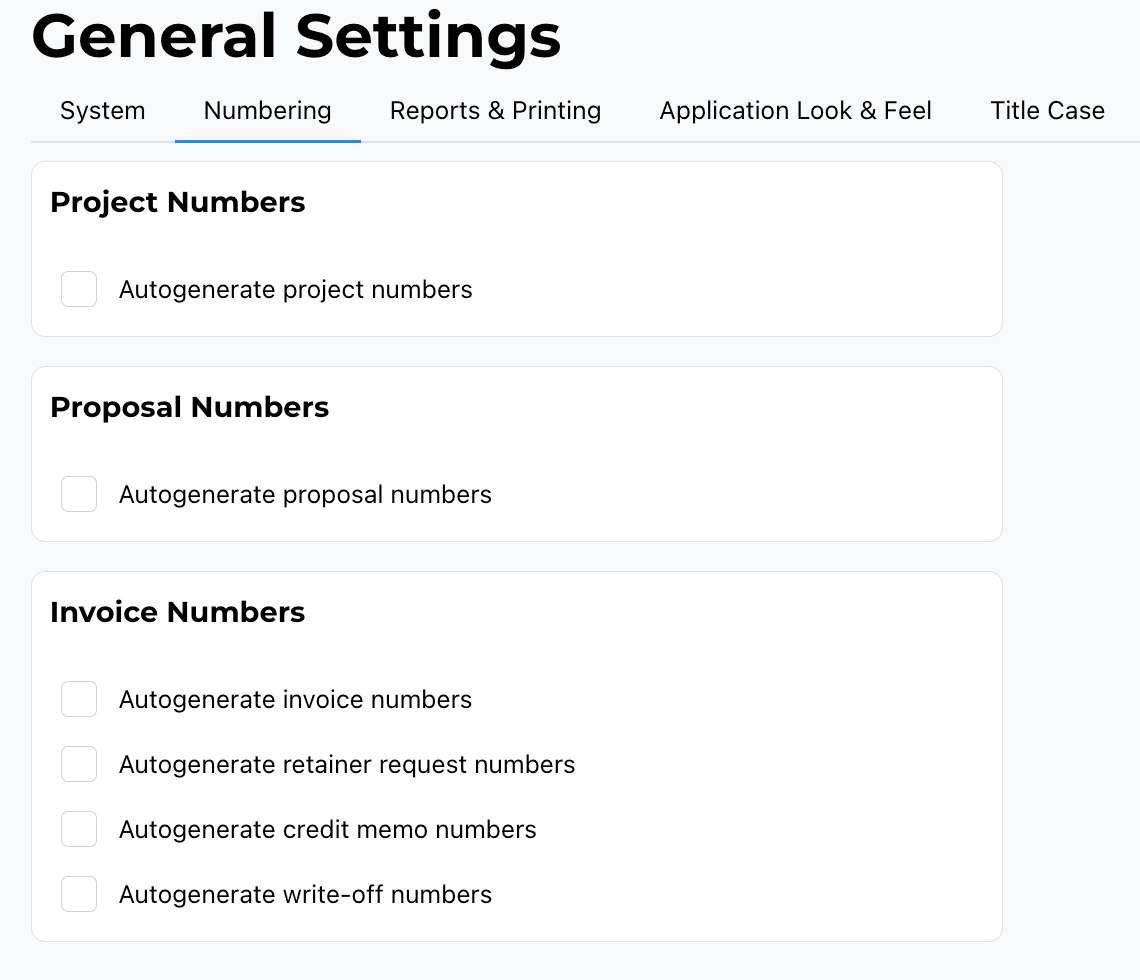
Building a Number Format
Number formats are built from tokens that you add with the buttons beneath each format field. Depending on the record type, tokens include:
- A four-digit year
- A two-digit year
- The month
- The day
Every format needs a serial number, which is the part that counts up. You can add a serial number without fixed digits, in which case it starts as a single digit and grows as needed, or with a fixed number of digits. A Preview below each format shows you an example of what your numbers will look like.
You can also mix in other characters alongside the tokens, such as dashes, dots, and prefixes.
Project Numbers
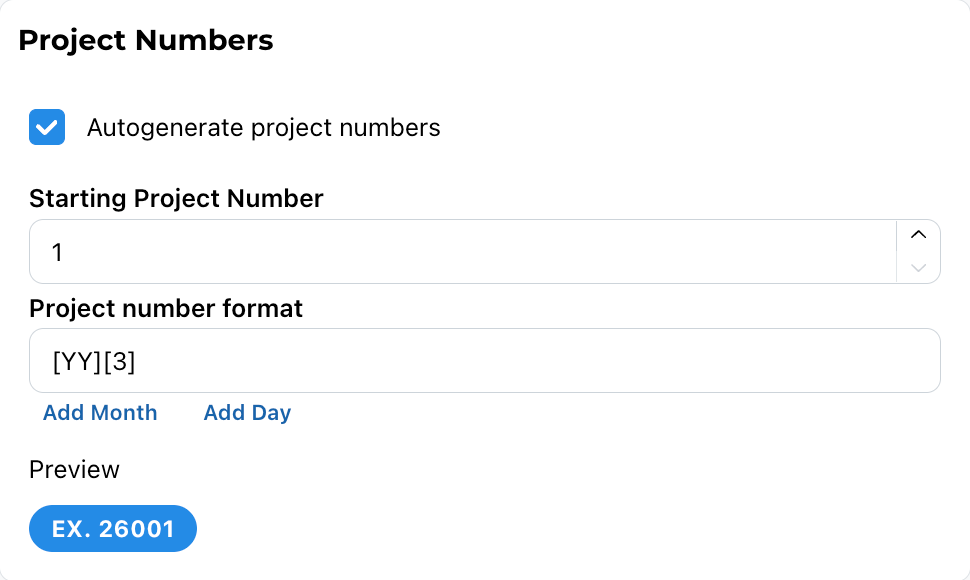
For project numbers, add the tokens you want. In the example, a two-digit year followed by a three-digit serial number produces 26001 as the first project number of the year. You can also set the starting project number.
Proposal Numbers
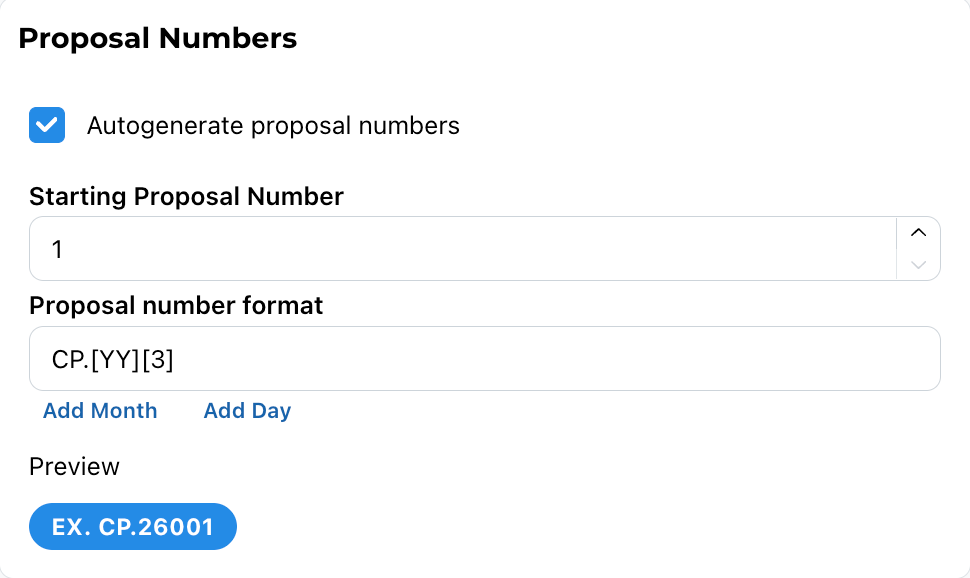
Proposal numbers work the same way as project numbers. In the example, the format uses a prefix of CP (for contract proposal), then a dot, then the year and serial number, producing a number like CP.26001. Format them the way you like by combining other characters with the tokens.
Invoice Numbers
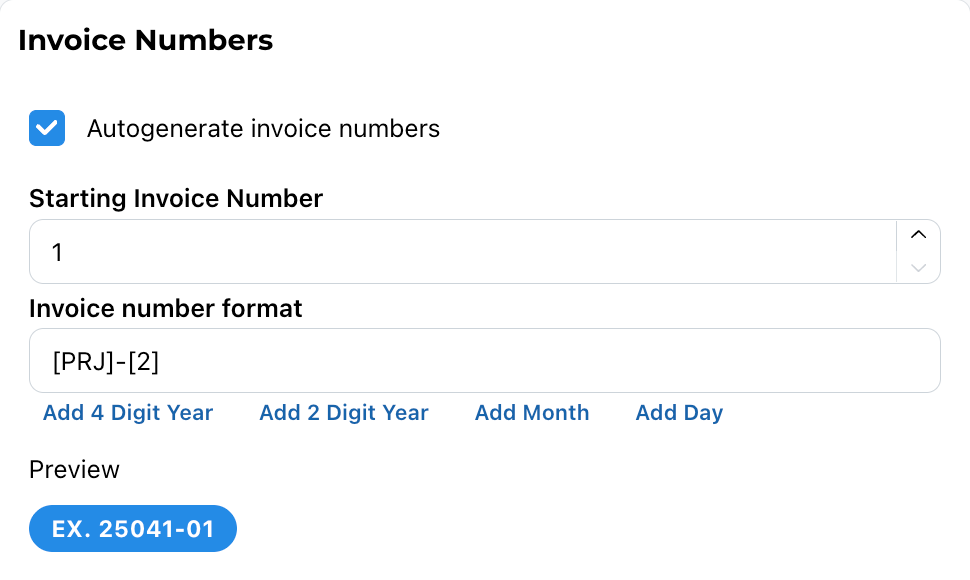
The example invoice format is the project number, a dash, and a two-digit serial number. Because the project number is part of the invoice number, each project gets its own unique set of invoice numbers, starting over at 01 for every project.
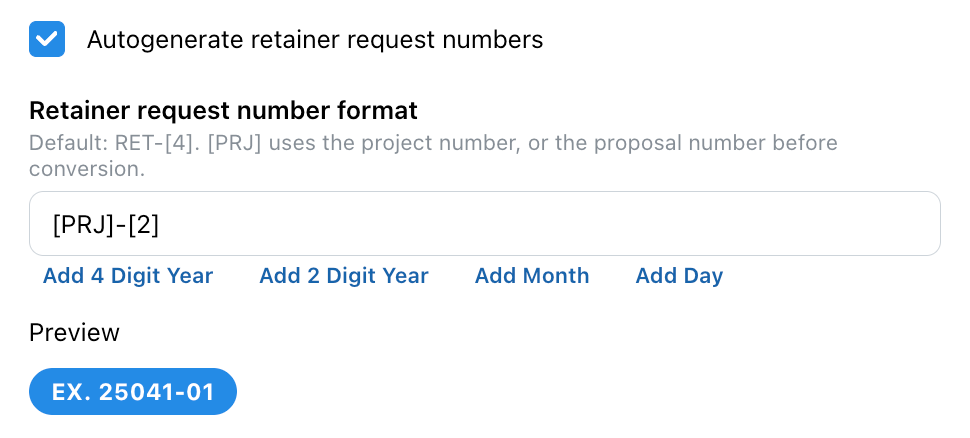
Retainer Invoices
When you invoice for a retainer, the number is built the same way, with tokens such as the project number and a serial number.
Credit Memos and Write-Offs
For a credit memo or write-off, you can insert the invoice number and then add identifier text after it. The number then duplicates the number of the invoice the credit memo or write-off is applied to, followed by your identifier, such as CM for a credit memo or WO for a write-off.
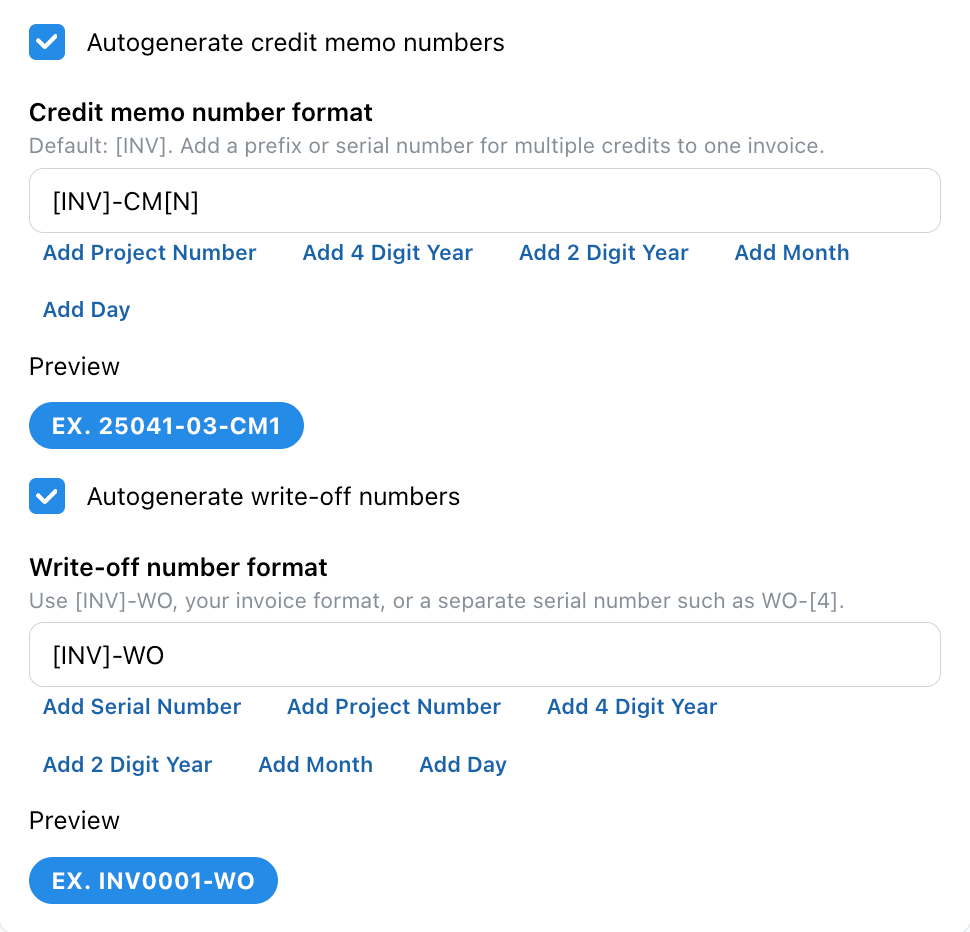
Credit memos use a serial number, because you may issue more than one against the same invoice. See How to Issue a Credit Memo.
Write-offs are the only format that doesn't require a serial number. If you add one while keeping the invoice number in the format, the serial will always be 1, since an invoice can only be written off once, so you may prefer to leave it out. If you remove the invoice number and use only identifier text, such as WO, an incrementing serial number makes sense. See How to Write Off an Invoice as Bad Debt.
Best Practice
Include the project number in your invoice, credit memo, and write-off formats so related records are easy to match at a glance. Set up your numbering formats before you start creating records, since the format controls the numbers everything after it receives.
Summary
The Numbering tab lets you autogenerate numbers for projects, proposals, invoices, retainer invoices, credit memos, and write-offs. Formats are built from tokens such as year, month, and day, plus a required serial number (with or without fixed digits) and any prefix or punctuation you choose. Invoice numbers can include the project number so each project has its own sequence. Credit memos and write-offs can reuse the invoice number with identifier text added, and write-offs are the only format that doesn't need a serial number. Turn off autogenerate for any type to enter numbers manually.