
Profit Centers Settings
Most of our clients have a single location. But for those who have more than one location or internal divisions, profit centers are quite handy. Click your name/avatar at the bottom of the main navigation panel to open settings.
Each profit center will have settings unique to the records linked to it.
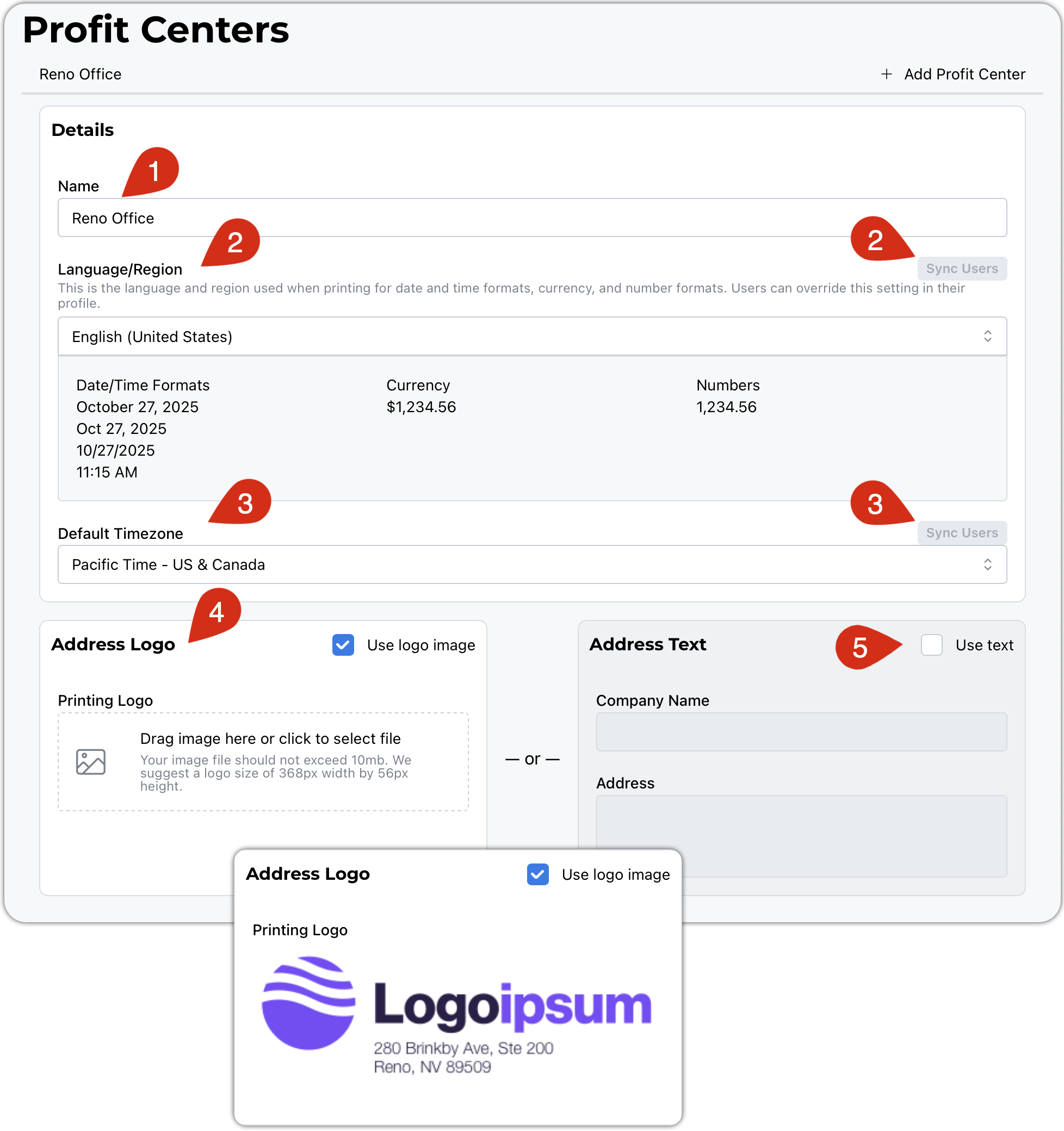
- Give your profit center a name.
- The chosen language will determine how your dates, currency, and numbers are formatted. Users can set their own defaults in the event that they are in a different country. You can use the sync button to set all users to your default.
- Selecting the time zone affects how records are tagged with timestamps. This system keeps a change log that uses these time slips as well. Users can set their own defaults if they are in a different time zone. You can use the sync button to set all users to your default.
- This Address Logo is used like your letterhead for invoices, docs, proposals, etc. We will do our best to scale it appropriately. Use your favorite graphics/drawing software to tweak things to your liking. We recommend a transparent background. Logos and Avatars
- You are welcome to forgo the logo and have a simple text block for your printouts.