
Time and Labor Settings
Under this section is where you will setup your pay periods, overtime and overhead factors, and activities. Click your name/avatar at the bottom of the main navigation panel to open settings.
You will also set up categories for overhead time such as staff meetings, general office, and accounting, along with benefits like holiday, vacation, maternity/paternity leave, and personal time.
Factors

- Overtime Factor is the pay differential for extra work hours
- Overhead Factor is applied to labor costs to account for company overhead. Overhead Factor
- Target Profit Percentage is the desired annual net profit for the firm
- Blended Billing Rate is the average billing rate for accrued time slips
- This value is used by the system to auto calculate budget hours for phases
Pay Period
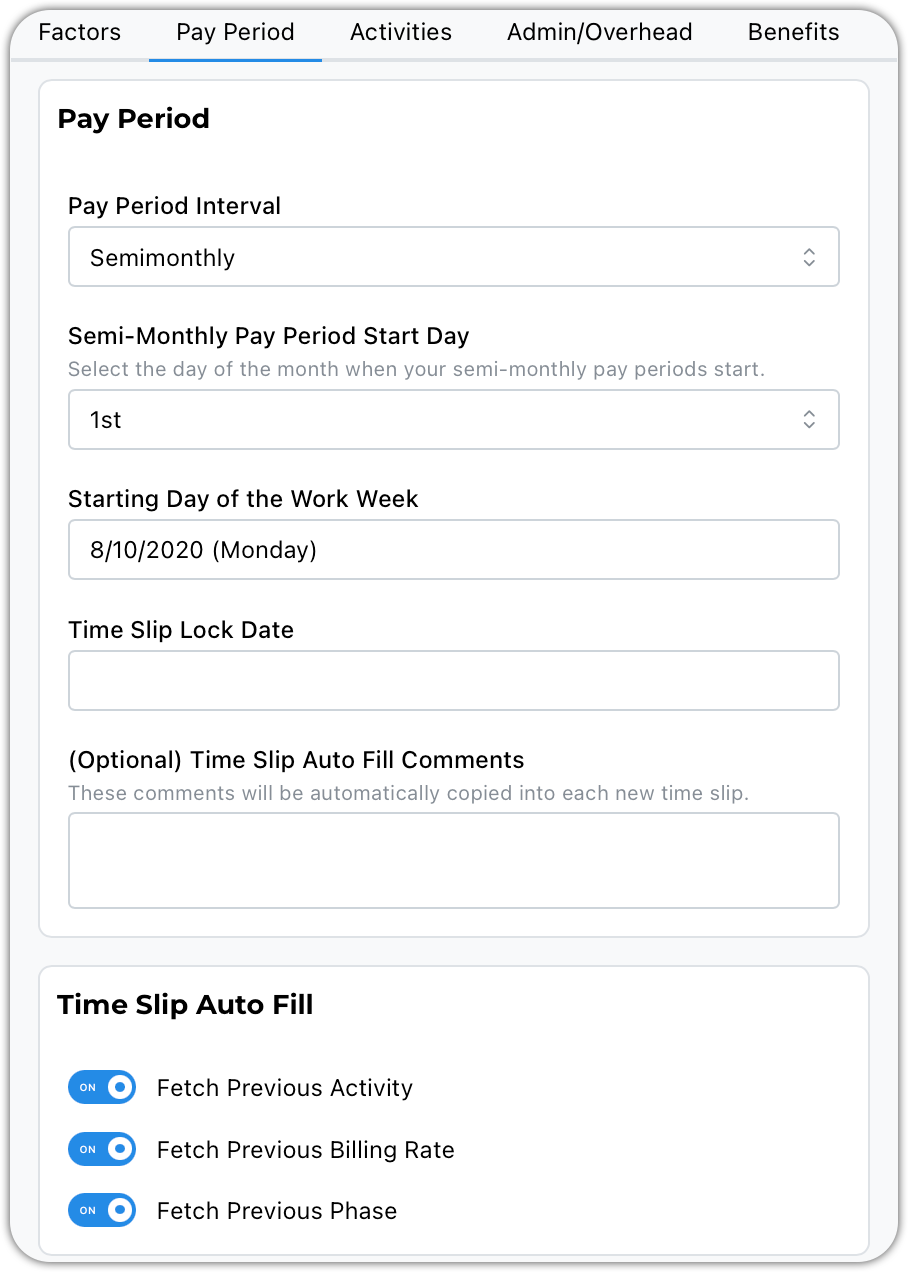
Pay Period Interval Options
- Biweekly
- Weekly
- Semimonthly - you can choose the start day of the pay period
- Monthly
Starting Day of the Work Week
- This is used when you select a date range such as This Week or Last Week
Time Slip Lock Date
- If you enter a date, time slips from the entered date back will be locked from editing
Time Slip Auto Fill Comments - not much to say here
Time Slip Auto Fill - these items will prepopulate from the prior time slip to save time when adding new entries.
Activities
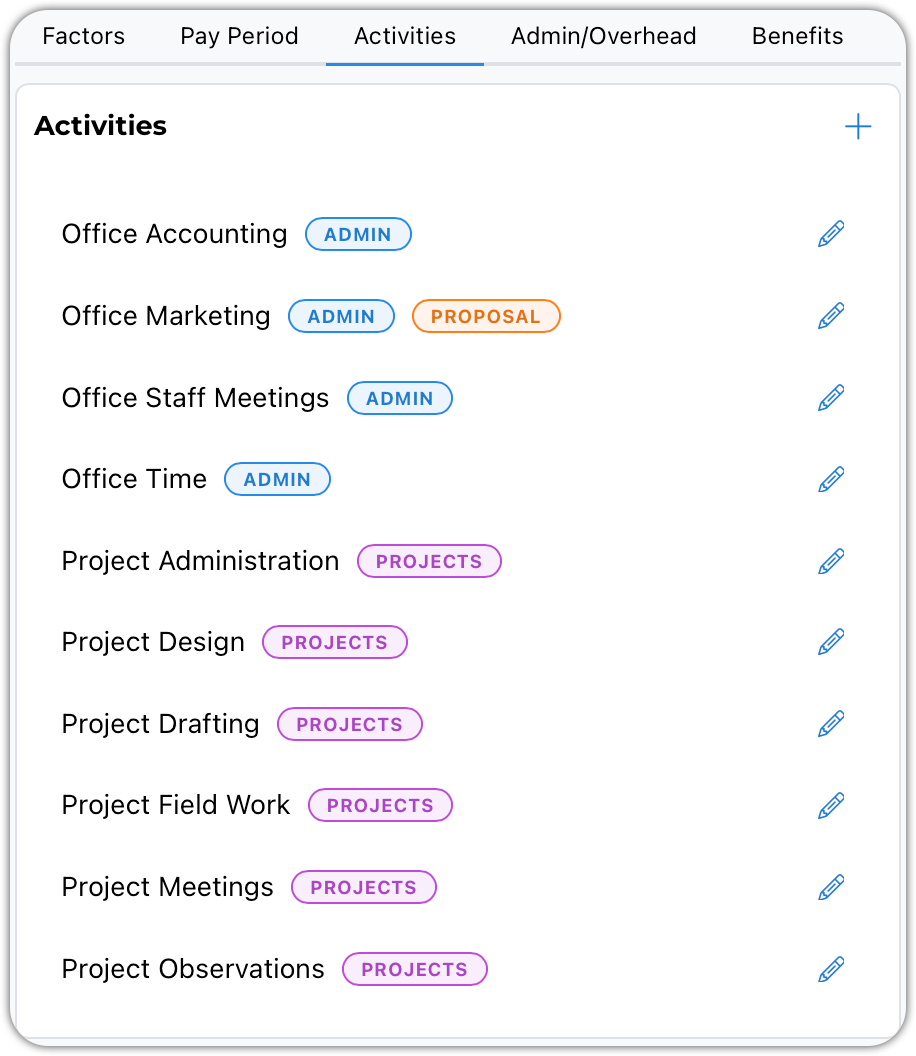
Activities are for you to track how time is spent as an overview. Think of it as a 5000-foot view of your labor efforts.
Admin/Overhead
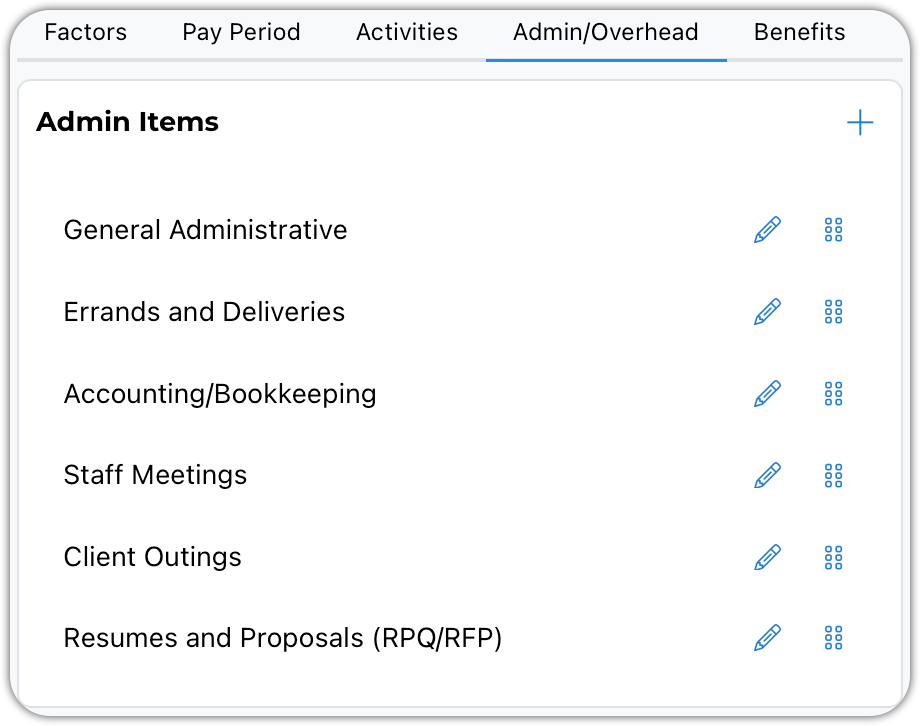
Enter the categories you would like to use to track your overhead time. You can use the drag handles to chage their order.
Benefits
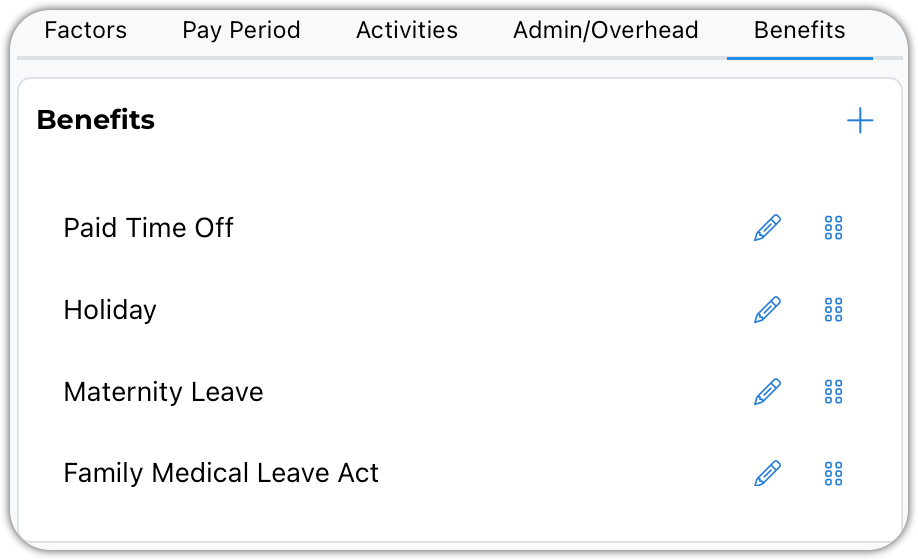
Enter the paid or unpaid time benefits you offer to your employees. You can use the drag handles to chage their order.