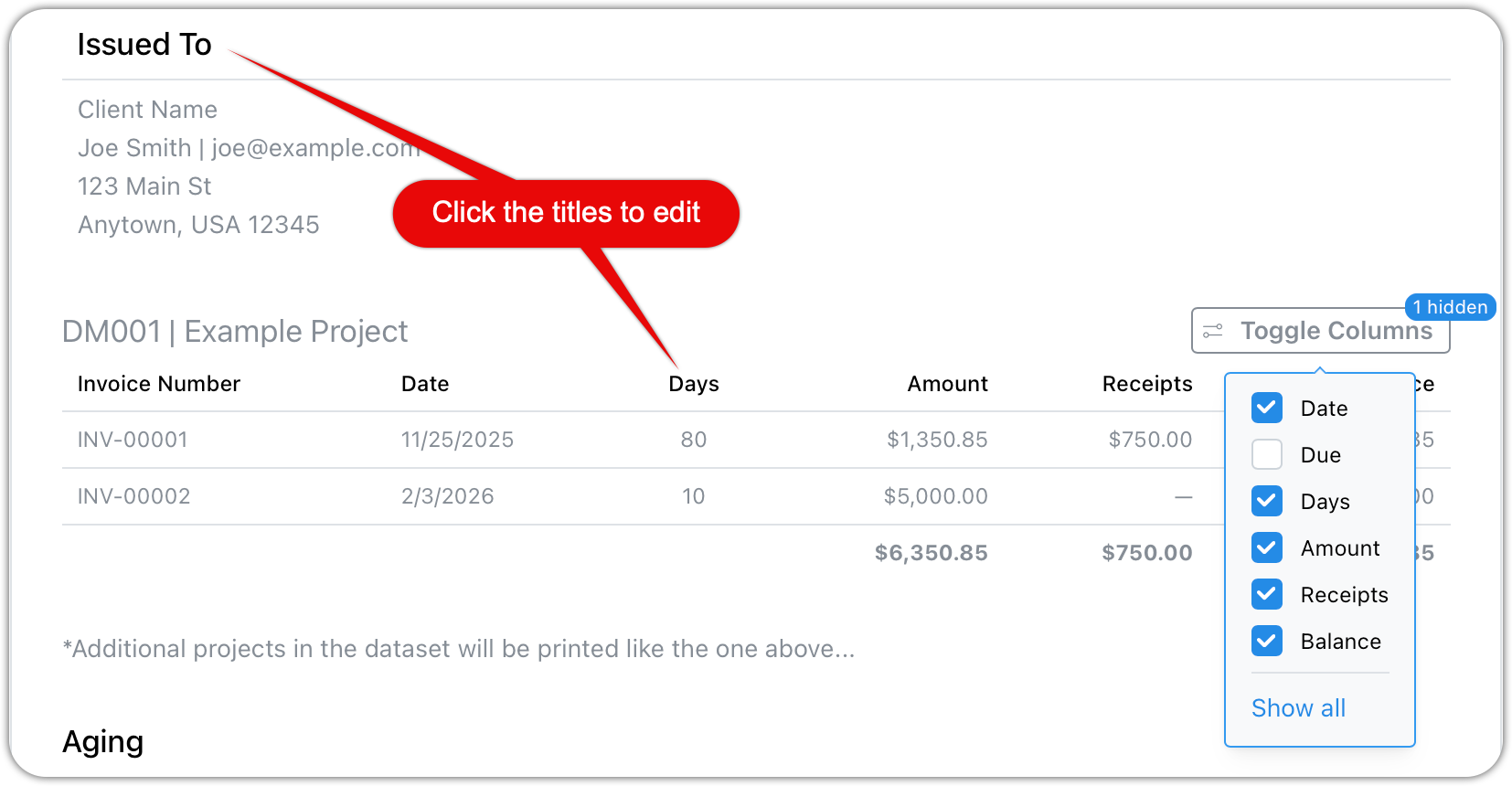
Statement Print Settings
Update statements to print with your preferred titles or language. Click your name/avatar at the bottom of the main navigation panel to open settings.
Logo Configuration
Your statement logo is pulled directly from the Profit Center.
- Navigate to Profit Center
- Upload or update your logo
Once added, this logo will automatically appear on invoices, statements, logs, and other printed documents. You only need to configure it once.
Editable Titles and Labels
All statement titles, section headers, and column labels can be customized.
- The light gray text shown in settings is sample text
- Click on any item to change the text
Examples:
- “Statement” → “Open Invoices”
- “Balance Due” → “Due Now”
-
“Issued To” → “Client.”