
Canceling Your Subscription
BaseBuilders makes canceling your account straightforward — no phone calls, no retention questions, just a few clicks.
Steps to Cancel
- Select your name in the lower left corner and open Settings.
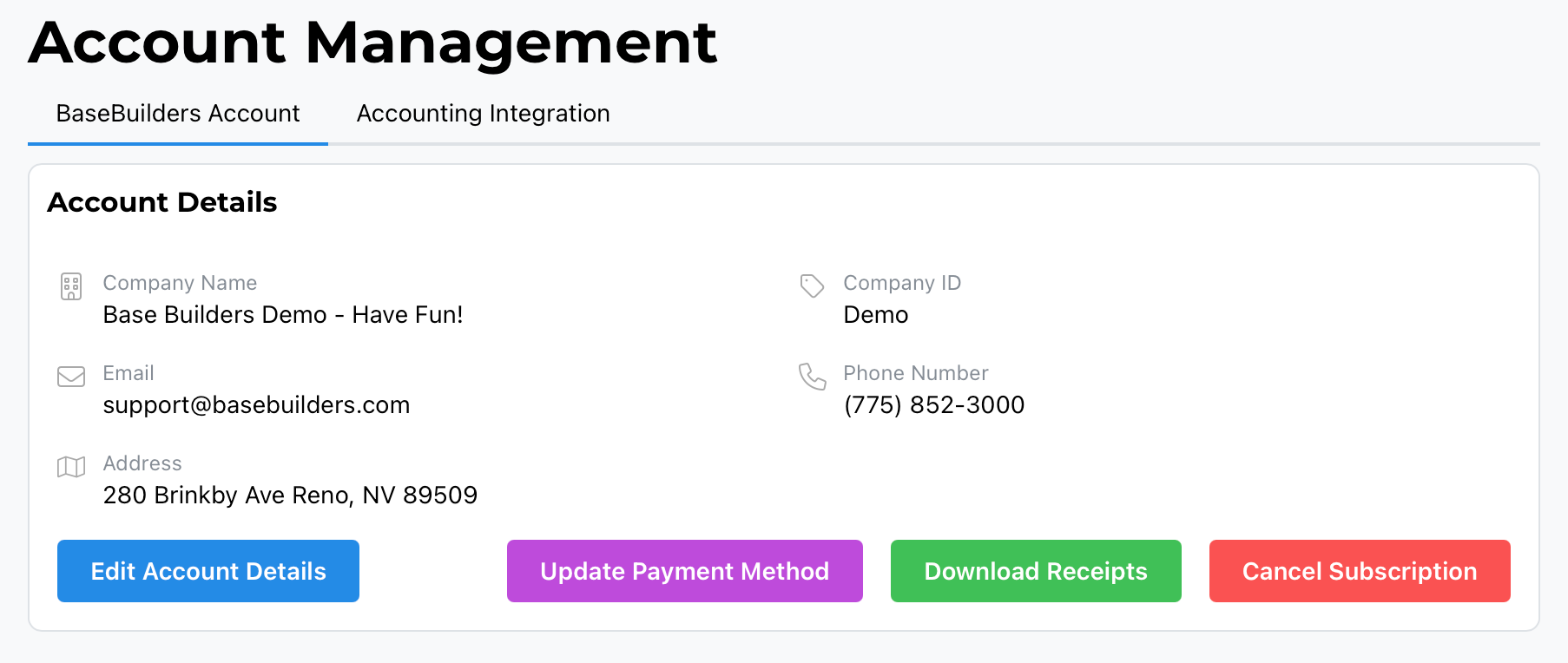
- Go to Account Management. This defaults to the BaseBuilders tab for your account.
- Select the red Cancel Subscription button.
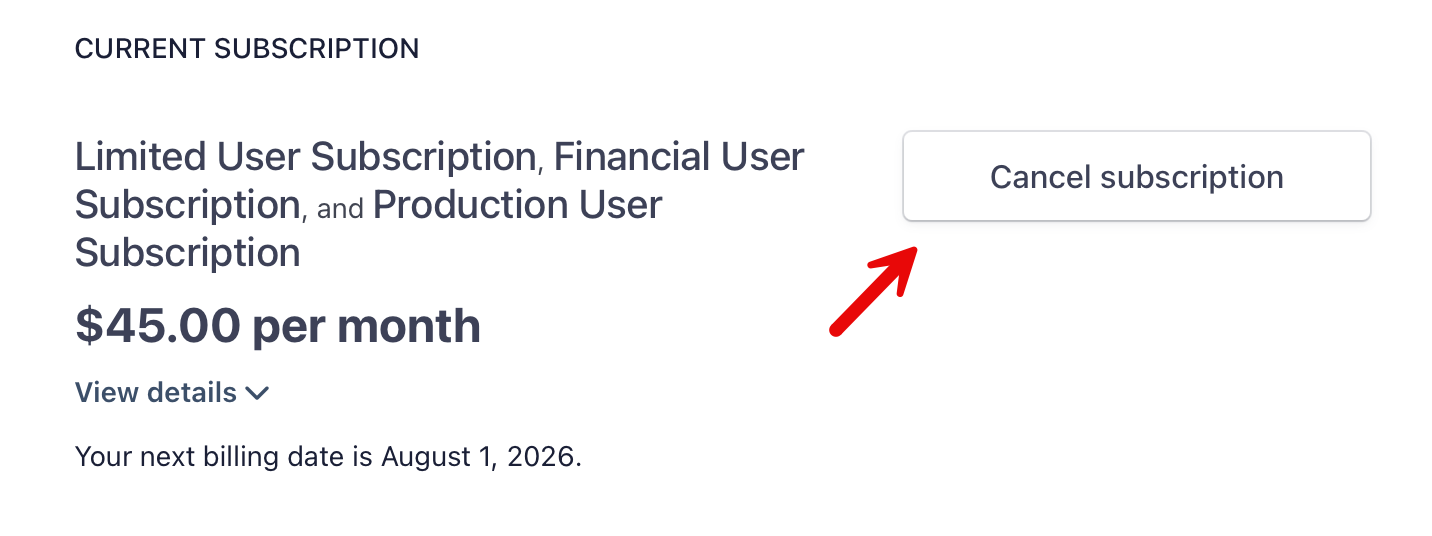
- You'll be taken into our Payment Management System, where you'll see a Cancel Subscription button in the upper right.
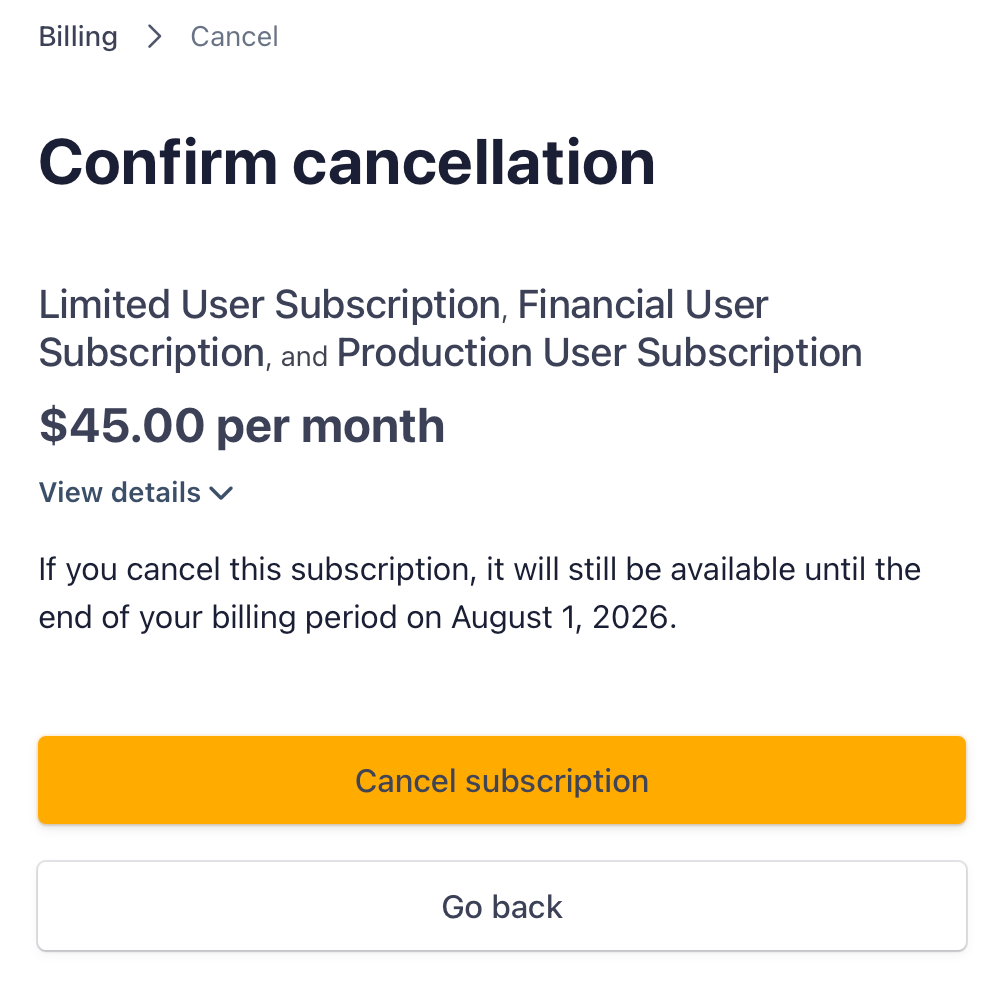
- Select Cancel Subscription, and you'll be asked to confirm. Select the bright orange Cancel Subscription button to finalize.
What Happens After You Cancel
Your account remains fully active through the end of your current subscription term — canceling doesn't cut off access immediately. No further questions are asked, and no additional steps are required beyond the confirmation above.
Summary
To cancel your subscription: Settings > Account Management > Cancel Subscription, then confirm in the Payment Management System, and confirm again with the orange Cancel Subscription button. The process takes about three clicks, and your account stays active until your current term ends.