
Updating Your Accout Details
Steps to Update Your Account Details
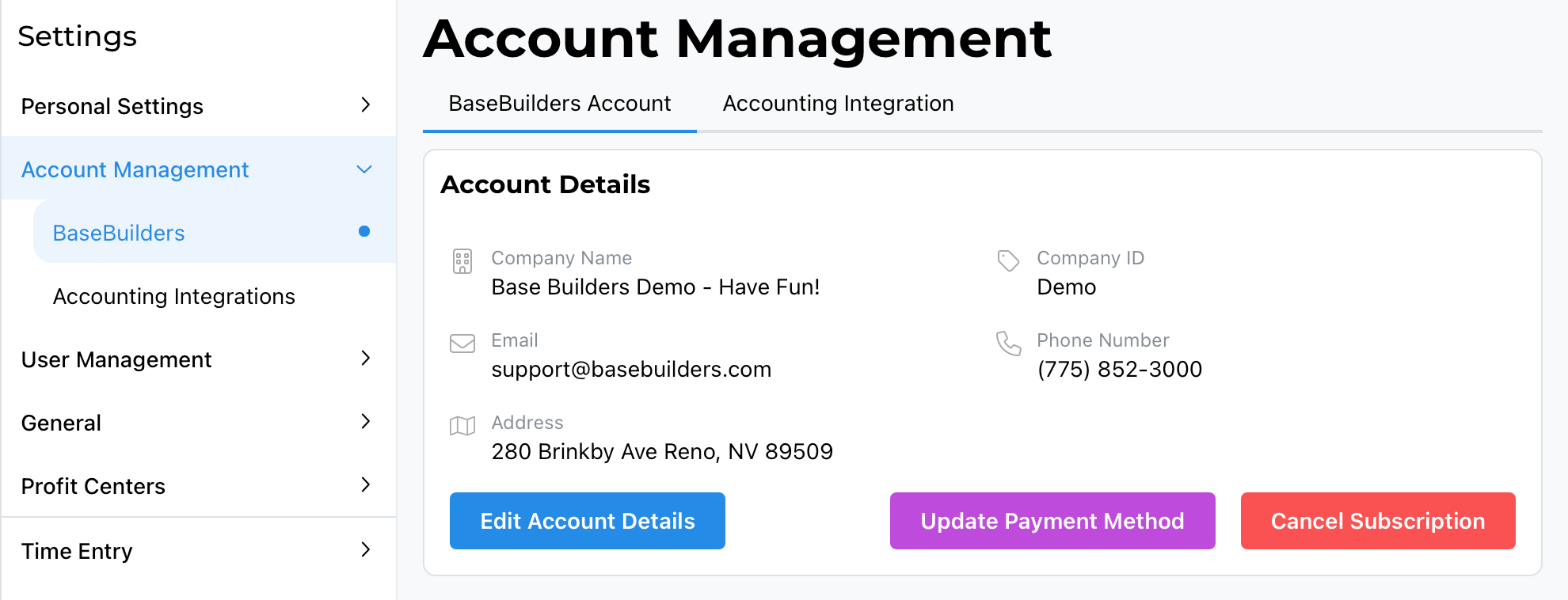
- Go to Settings > Account Management. This defaults to the BaseBuilders tab for your account.
- Select Edit Account Details.
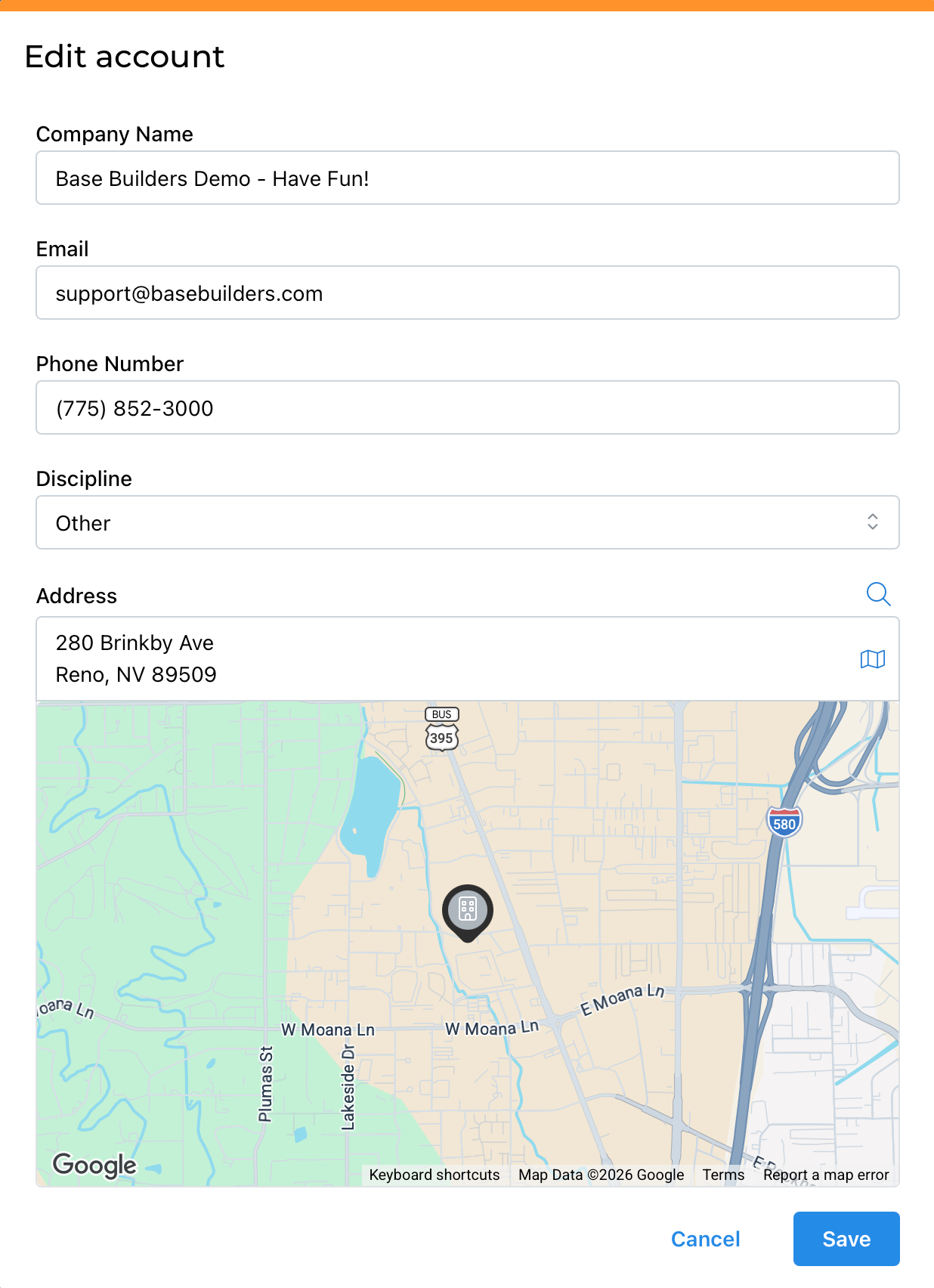
From here, you can update:
- Company Name
- Email — the email associated with your subscription
- Phone Number
- Discipline — let us know what your firm does
- Address
Once you've made your updates, select Save.
Summary
To update your account details: Settings > Account Management > Edit Account Details, then update your company name, email, phone number, discipline, and address, and select Save.