Downloading a BaseBuilders Receipt
Steps to Download an Receipt (paid invoice)
- Select your name in the lower left corner and open Settings.
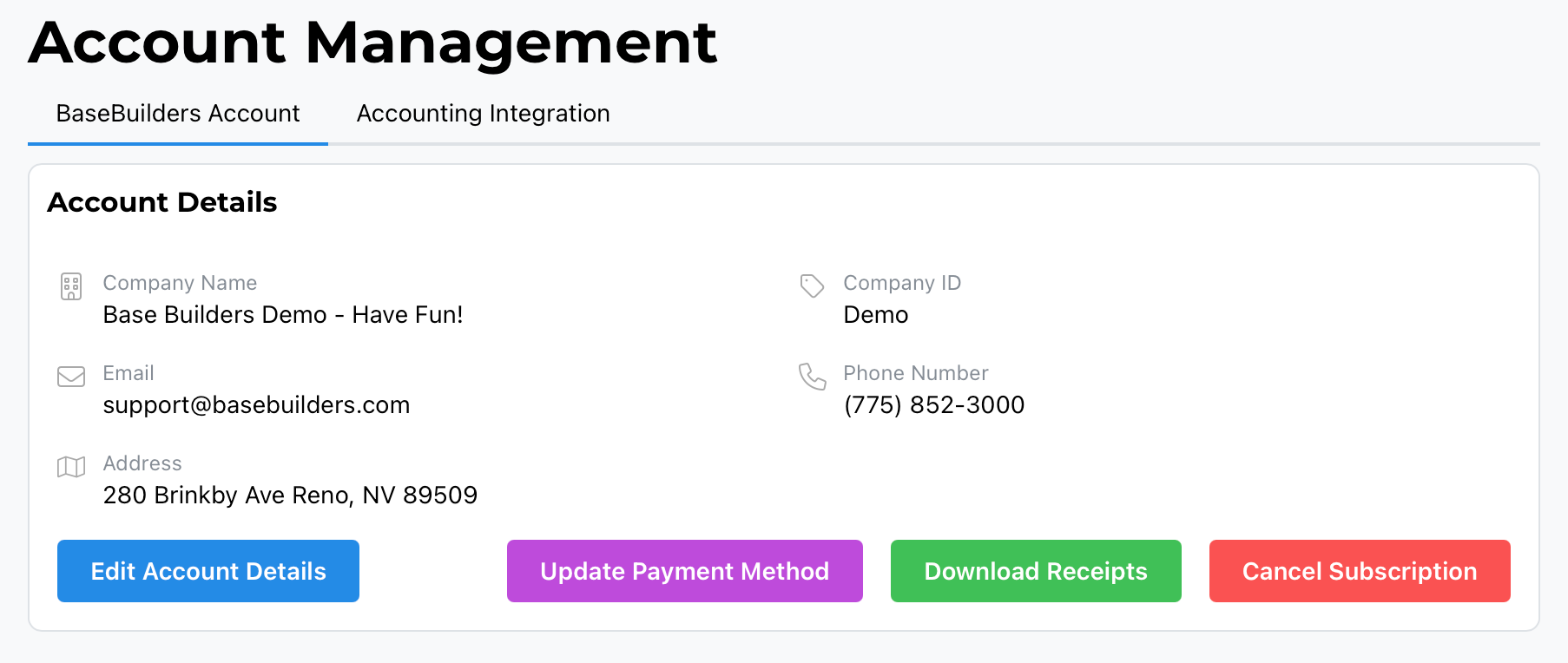
- Go to Account Management. This defaults to the BaseBuilders tab for your account.
- Select the green Download Receipts button.
- You'll be taken into our Payment Management System.
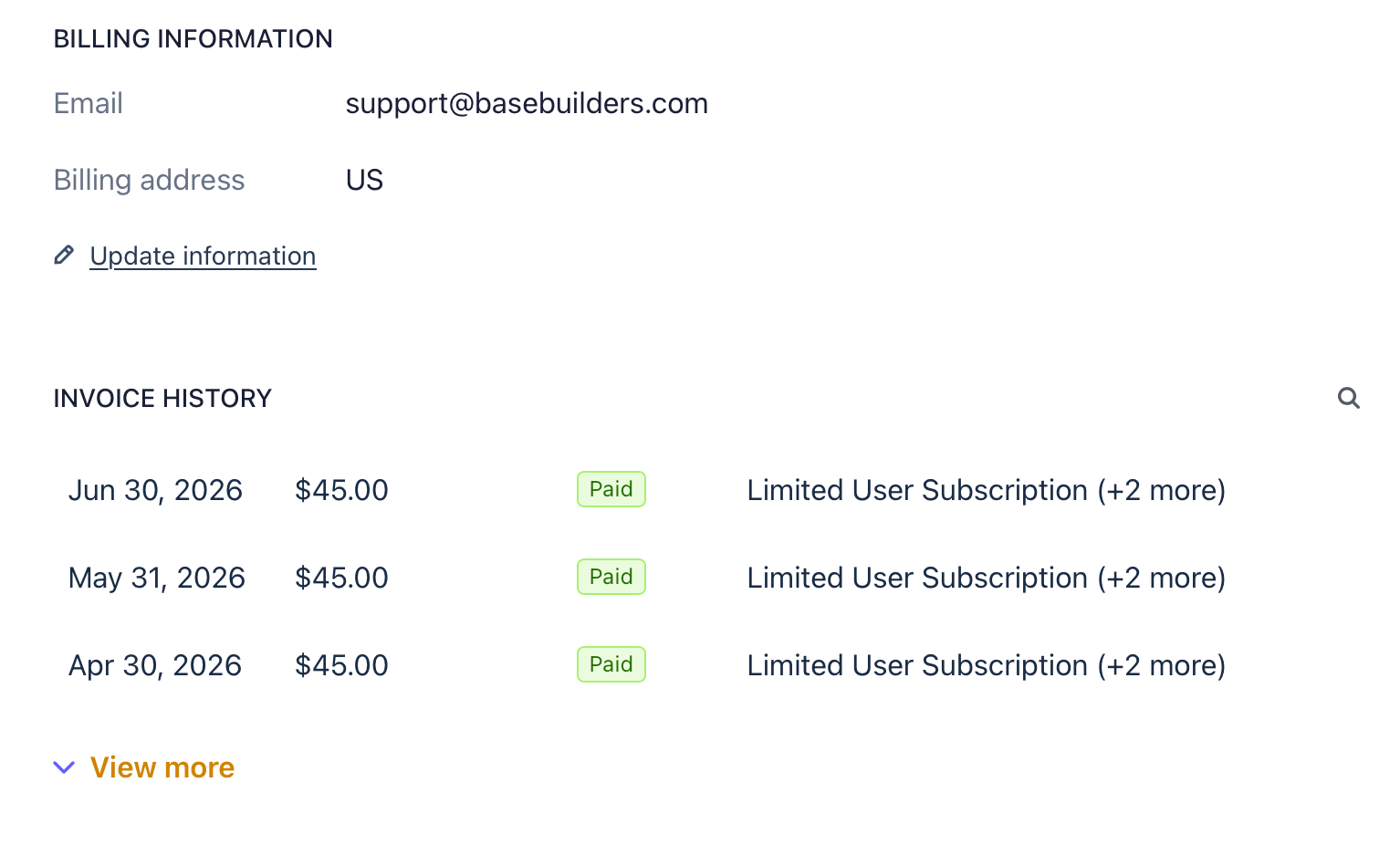
- Scroll down below your billing information to find your Invoice History.
- Select any invoice to view and download it.
Did this answer your question?
Thanks for the feedback
There was a problem submitting your feedback. Please try again later.

