
Write-Off Bad Debt
How to Write Off an Invoice as Bad Debt
A write-off is for an issued invoice whose remaining balance you are never going to collect, such as one that has gone very past due or very old. This article walks through writing off an invoice, what BaseBuilders creates when you do, and how to reverse a write-off if you need to.
If you're not sure whether a write-off is the right tool, see Discount vs. Credit Memo vs. Write-Off. If you only need to reduce what a client owes, see How to Issue a Credit Memo.
Writing Off the Remaining Balance
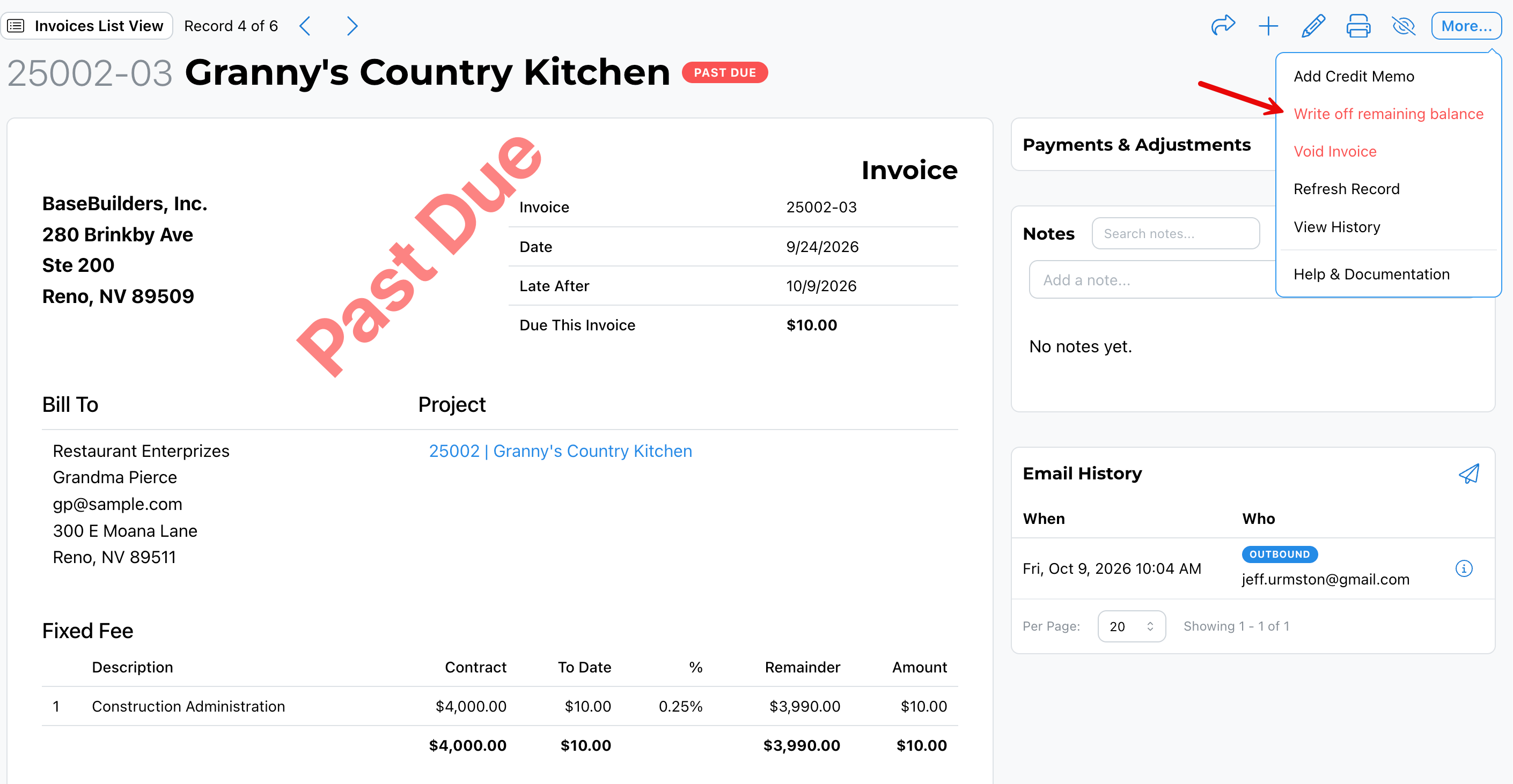
Open the invoice, select More, and choose Write off remaining balance.
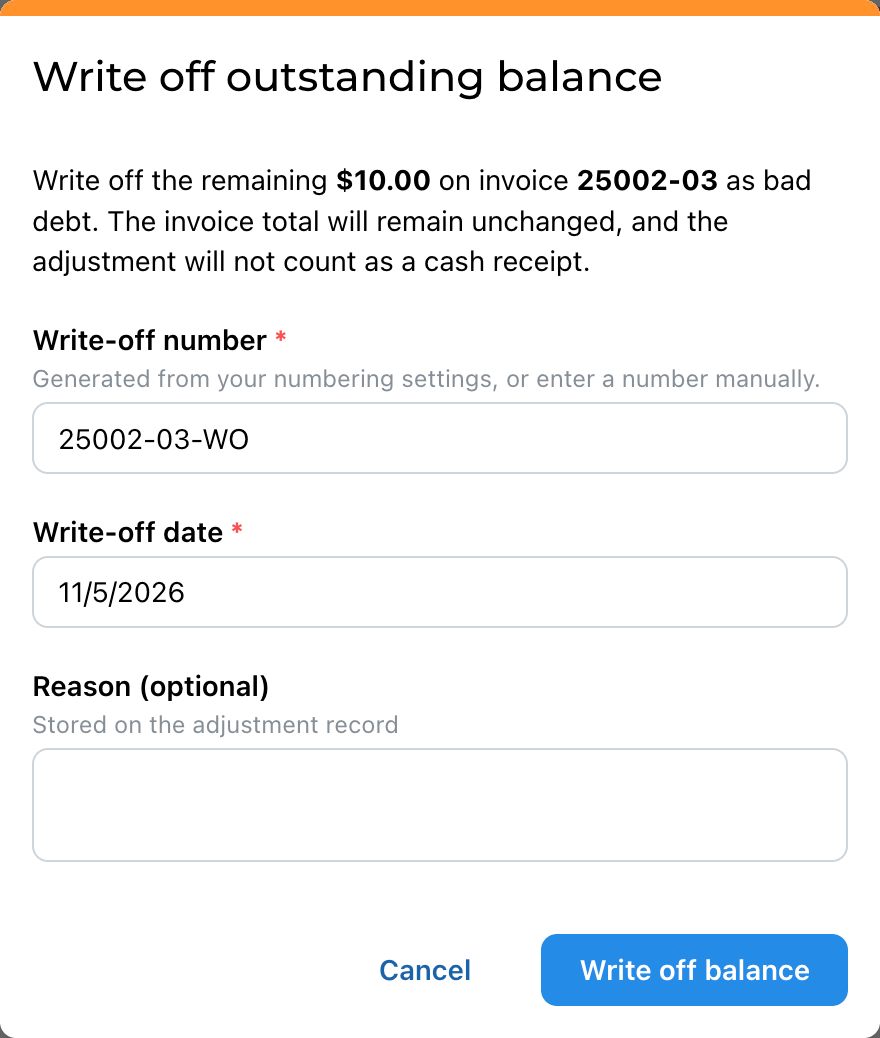
A Write off outstanding balance window opens, explaining that the remaining balance on the invoice will be written off as bad debt. It also notes two important points: the invoice total remains unchanged, and the adjustment does not count as a cash receipt.
Complete the window:
- Write-off number — generated from your numbering settings, or you can enter a number manually.
- Write-off date — the date of the write-off.
- Reason — optional. Whatever you enter is stored on the adjustment record.
Select Write off balance. That's all it takes.
What BaseBuilders Creates
Writing off a balance creates two records:
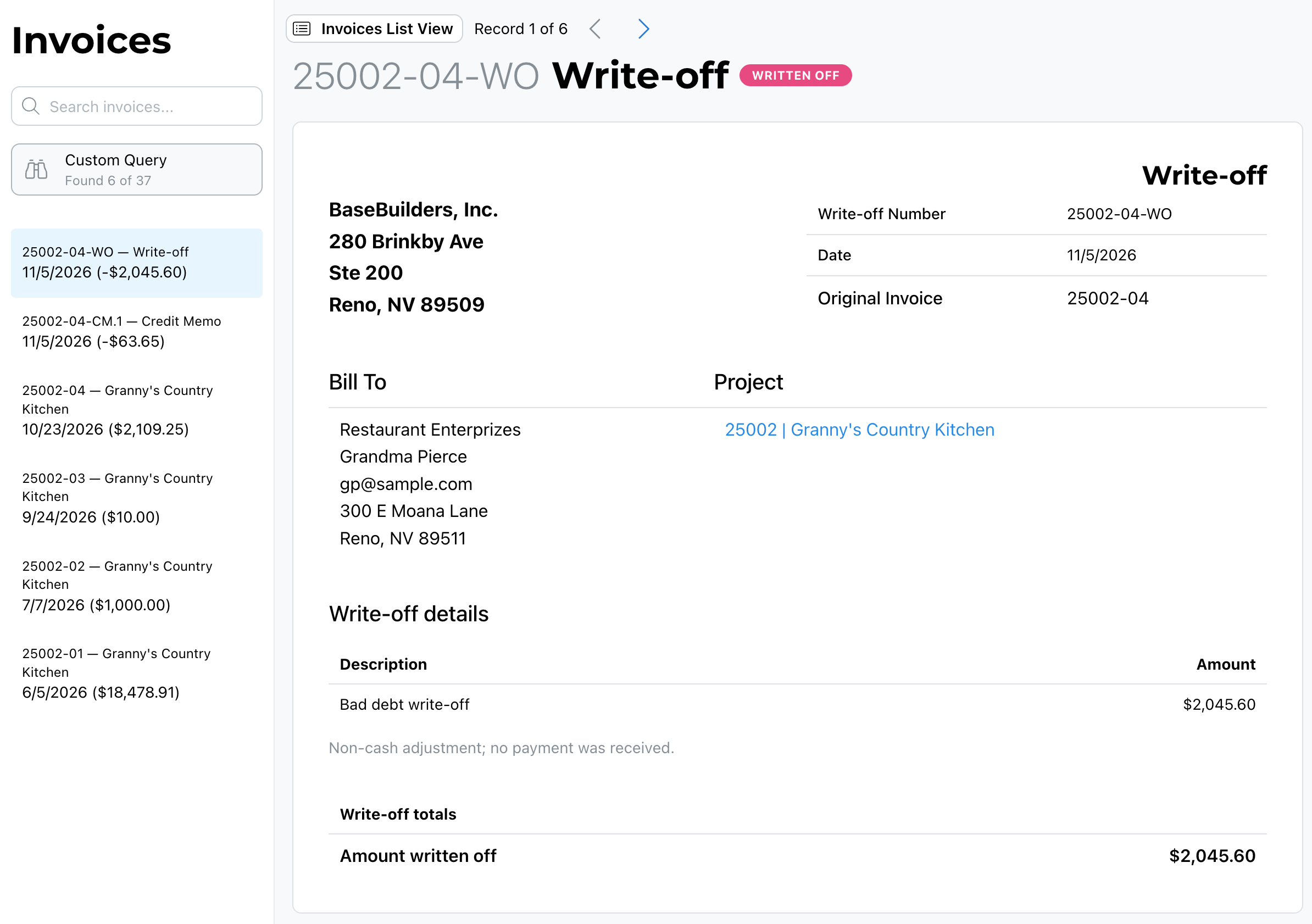
- A write-off invoice, which shows the number, date, and original invoice it applies to. It is marked Written Off and watermarked so it's clear what was written off. Its details show a Bad debt write-off line for the amount written off, along with a note that it is a non-cash adjustment and no payment was received. This is what ends up in your accounting system as bad debt.
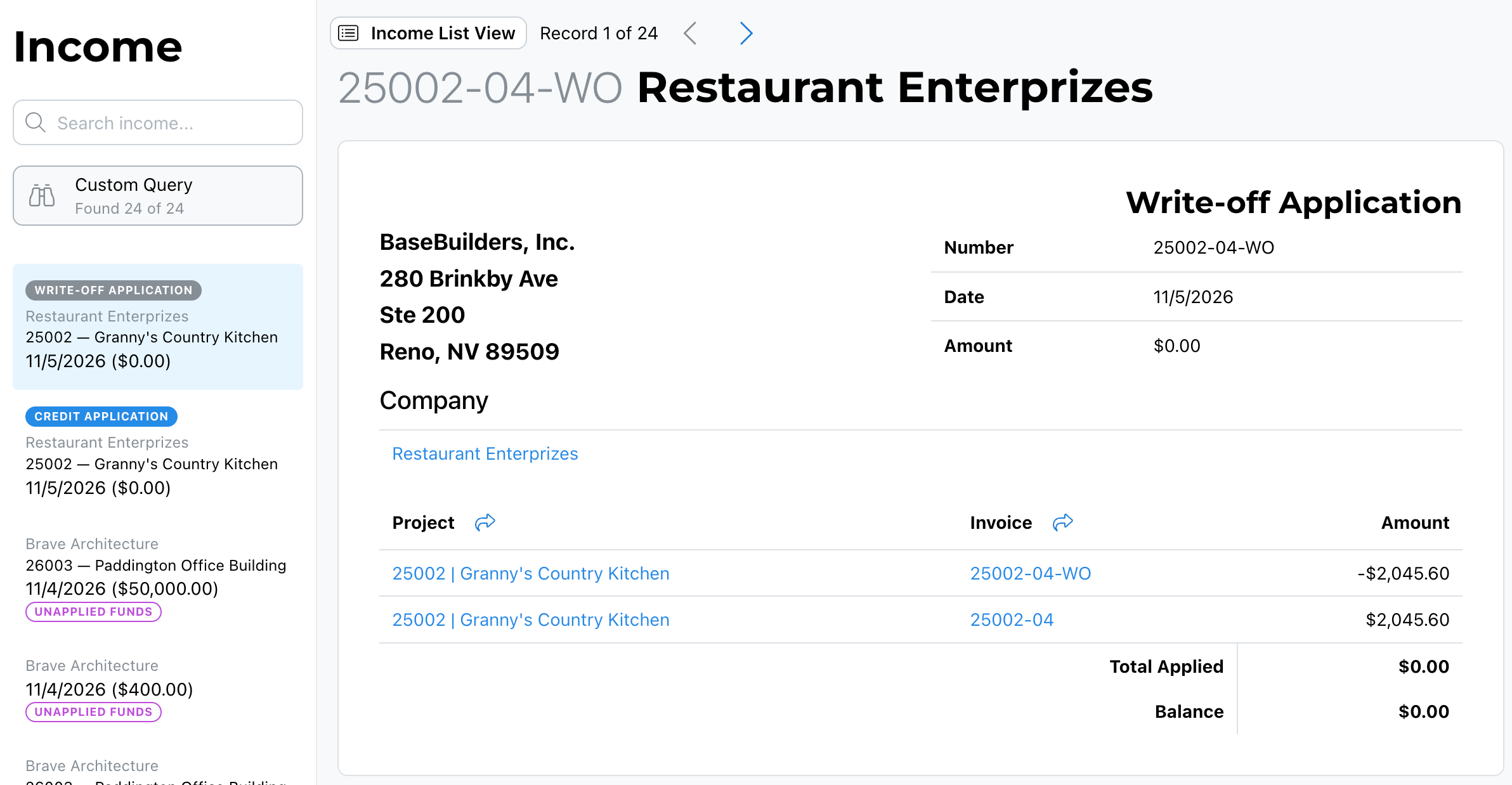
- A matching income record, labeled Write-off Application, that applies the write-off to the original invoice.
The income record contains a negative amount that goes to the write-off invoice and an equal positive amount that goes to the original invoice, so the total applied is zero.
[
Like other system-generated income records, a Write-off Application can't be edited directly. Selecting edit shows a notice that the change isn't allowed.
Reversing a Write-Off
Sometimes a write-off turns out to be a mistake. Perhaps it happened by accident, or the client unexpectedly sends a check after you had given up on collecting.
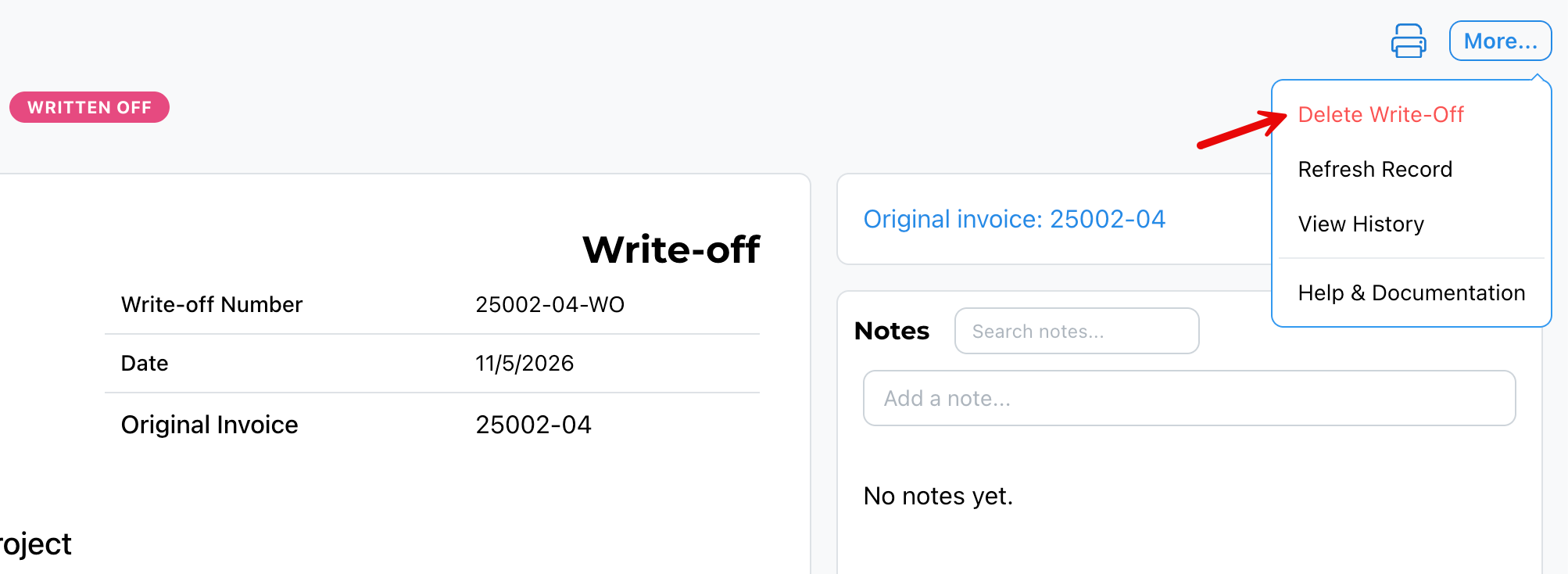
To reverse it, open the write-off invoice, select More, and choose Delete Write-Off. Deleting the write-off also deletes the corresponding income record. You can then receive the client's payment against the invoice as you normally would.
This works best when the reversal happens soon after the write-off, such as within a few days. If you're past your accrual period, you may need to receive the money a different way for your accounting purposes. Check with your accountant if you're unsure.
Best Practice
Reserve write-offs for balances you have genuinely given up on collecting, since they are recorded as bad debt. If you only need to reduce what a client owes, use a credit memo instead. If a client pays after you've written off an invoice, delete the write-off promptly rather than waiting, so your accounting stays straightforward.
Summary
To write off an invoice, open it, select More, and choose Write off remaining balance. Confirm the write-off number, date, and optional reason, then select Write off balance. BaseBuilders creates a watermarked write-off invoice with a Bad debt write-off line, which is recorded as bad debt in your accounting system, and a matching Write-off Application income record that nets to zero. The adjustment isn't a cash receipt and doesn't change the invoice total. If a write-off was a mistake, or a client pays later, use Delete Write-Off from the write-off invoice's More menu, which also removes the matching income record.