
Invoice Print Settings
Invoice Print Settings let you control how your invoices appear when printed or shared with clients. Click your name/avatar at the bottom of the main navigation panel to open settings.
From logos and titles, to columns, summaries, and watermarks, you have a lot of control.
Logo Configuration
Your invoice logo is pulled directly from the Profit Center.
- Navigate to Profit Center
- Upload or update your logo
Once added, this logo will automatically appear on invoices, statements, logs, and other printed documents. You only need to configure it once.
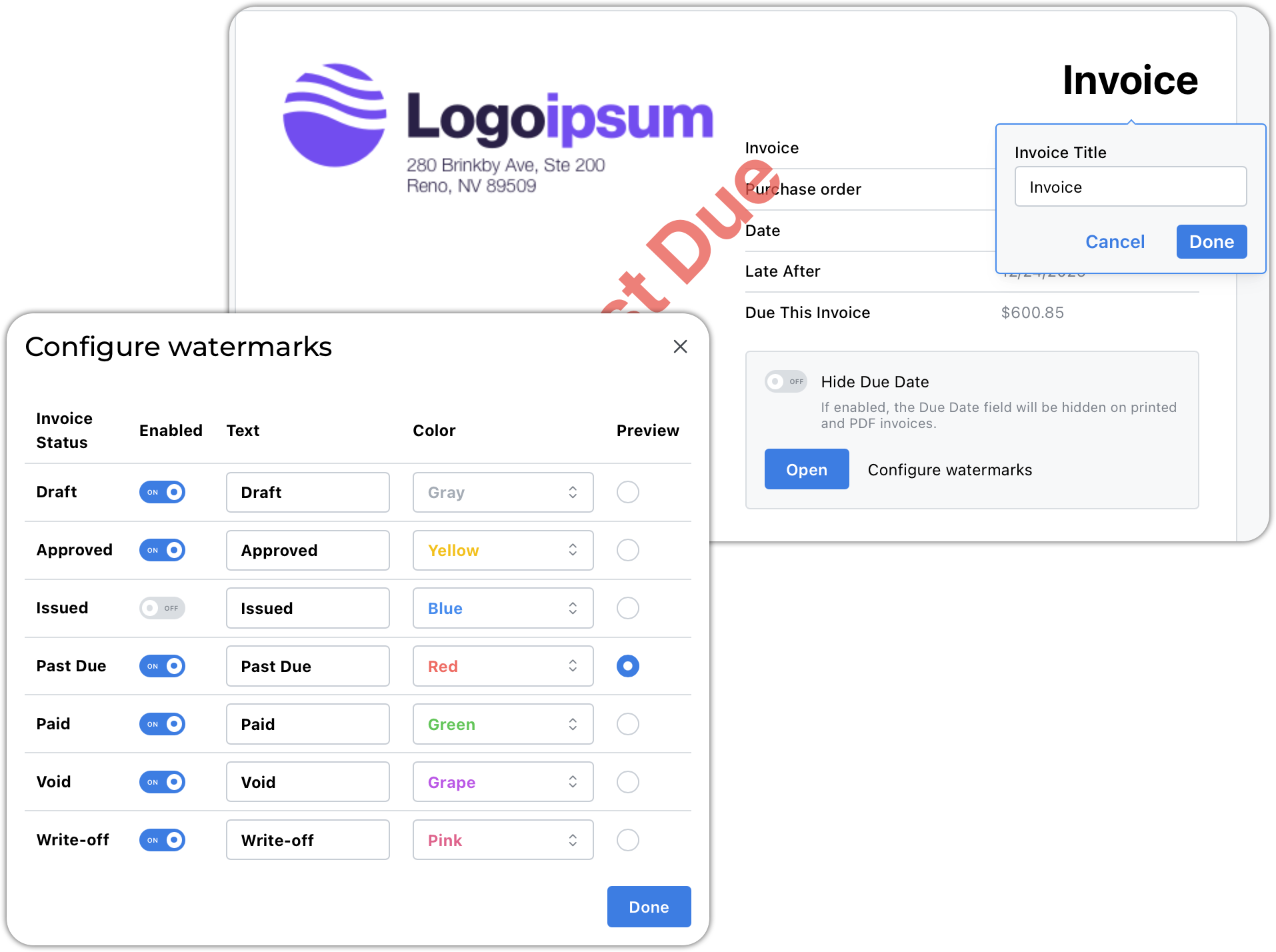
Editable Titles and Labels
All invoice titles, section headers and column labels can be customized.
- The light gray text shown in settings is sample text
- Click on any item to change the text
Examples:
- “Invoice” → “Factura”
- “Number” → “Invoice Number”
- “Client Reference” → “Purchase Order”
- "Due This Invoice"→ “Balance Due”
Watermarks
You can enable and customize invoice watermarks based on invoice status.
For each watermark, you can:
- Enable or disable
- Edit the text
- Select colors
-
Preview the appearance
Default Invoice Comments
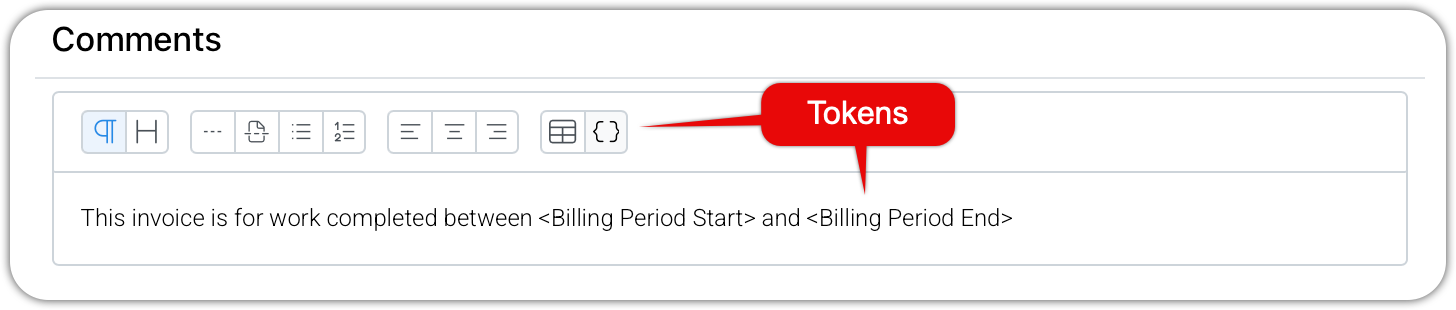
You can define comments that automatically appear on new invoices.
Common uses:
-
Billing period notes
“Billings through the end of…”
- Closing dates
- Standard client messages
- Inserting tokens will customize the comment for each invoice
This text is copied into each new invoice. It remains fully editable on each invoice.
Line Item Display Options
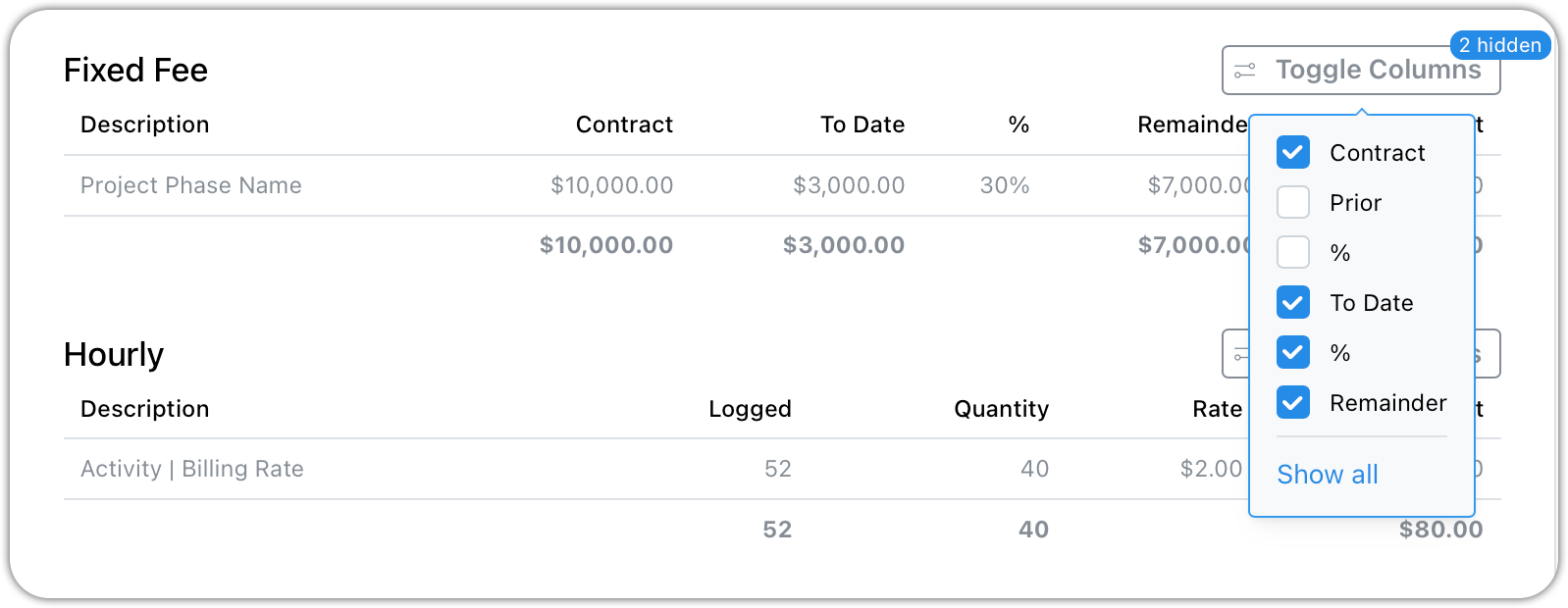
Things you can do to customize your line items
- Rename section titles - perhaps you prefer Lump Sum over Fixed Fee
- Relabel column headers
-
Hide columns you prefer not to show
Retainer Summary
Enable this option if you want retainers balances reflected on printed invoices.
Total vs. Balance Due
With this selected, when an invoice has no applied payments, the "Balance" field is used instead of the "Total" field.
Terms and Conditions
Add standard text such as:
- Remittance instructions
- Payment terms
- Late payment policies
- Interest notices
- Thank you for your business
This section uses a rich text editor for full formatting control.
Three Addable Sections
As you scroll down the settings page, you will find three additional sections you can append to your invoices.
- Summary of Contract - a list of phases and contract amounts
- Project Billing Statement - a statement of all open invoices if there is more than one
- Time Slips - an itemized list of the time slips linked to invoice line items