

Logo
    Welcome Aboard
  • System Admin and Settings
  • Projects and Proposals
  • Financial Transactions
BaseBuilders Knowledge Base

BaseBuilders Knowledge Base

BaseBuilders.comApp

Projects - the heartbeat of your firm, and this application

Project Editor - Billing Rates

Each project will have its own unique set of billing rates. In most cases, these will be generated from your master billing rates.

Master Rates

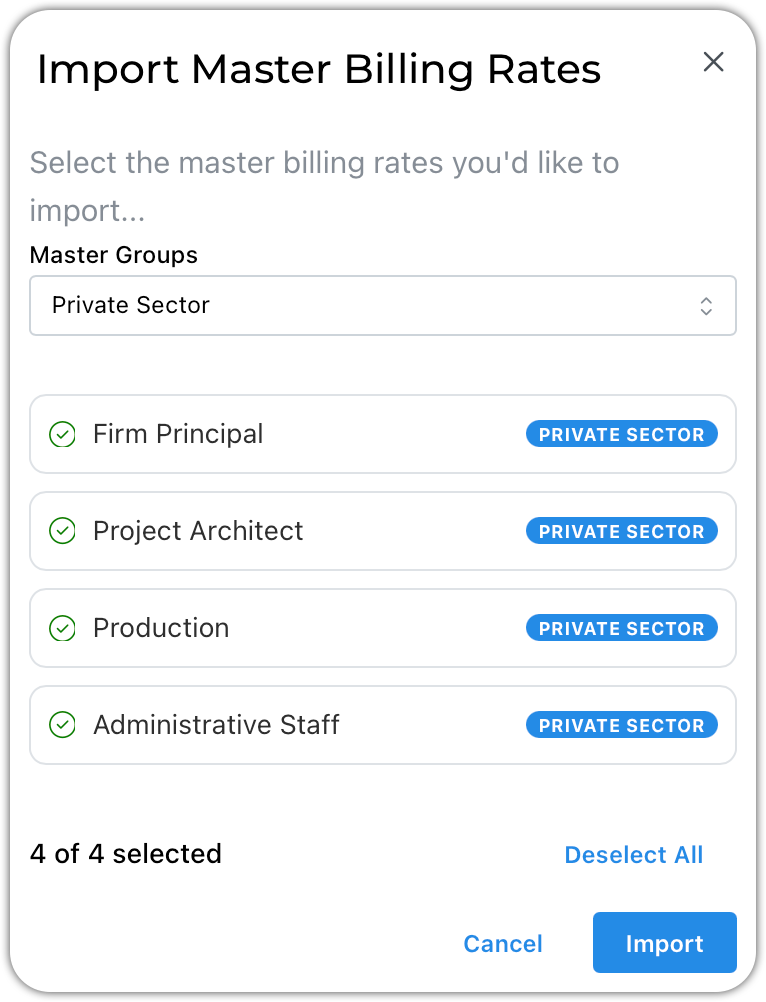
image.png
  1. Filter the list by group as shown here (optional)

  2. Select the rates you would like to add to your project

  3. Click Import

Project Billing Rates

Once rates are imported, they become unique to the project.
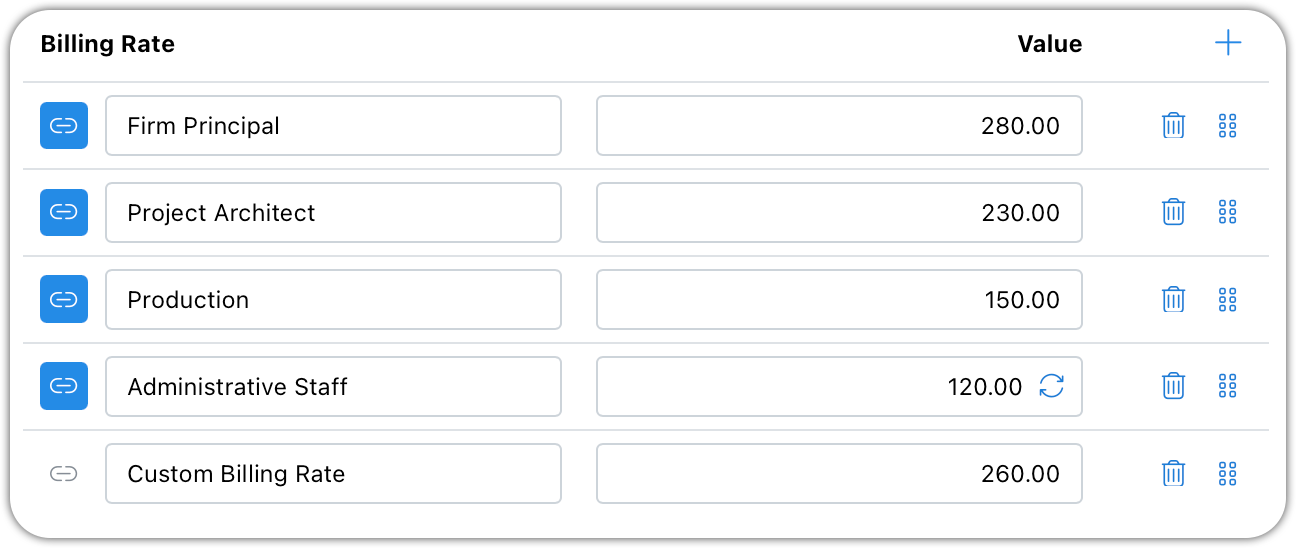
image.png

You can edit the rates for each project individually.

Modified rates can be reset to match the linked master rate by clicking the circular arrows.

Use the drag-and-drop handles to reorder them.

Custom rates can be added to any project.

Related Articles

Project Editor - General Info

This is the basic information about your project such as number, name, and client.

Project Editor - Phases • Consultants • Fees

Phases will be used to enter your fees and generate your invoice line items. Each phase within your project can have any of the available billing formats.

Project Editor - Billing Options

Project settings are copied in from your master settings. Because they are copied, you can make changes as needed for each project.

Master Billing Rates Settings

Master billing rates make short work of setting up projects. Click your name/avatar at the bottom of the main navigation panel to open settings.

Was this page helpful?
Previous

Project Editor - Phases • Consultants • Fees

Next

© 2002-2026 | BaseBuilders, LLC. | All rights reserved.