

Select Manage Account to go to your subscription page.
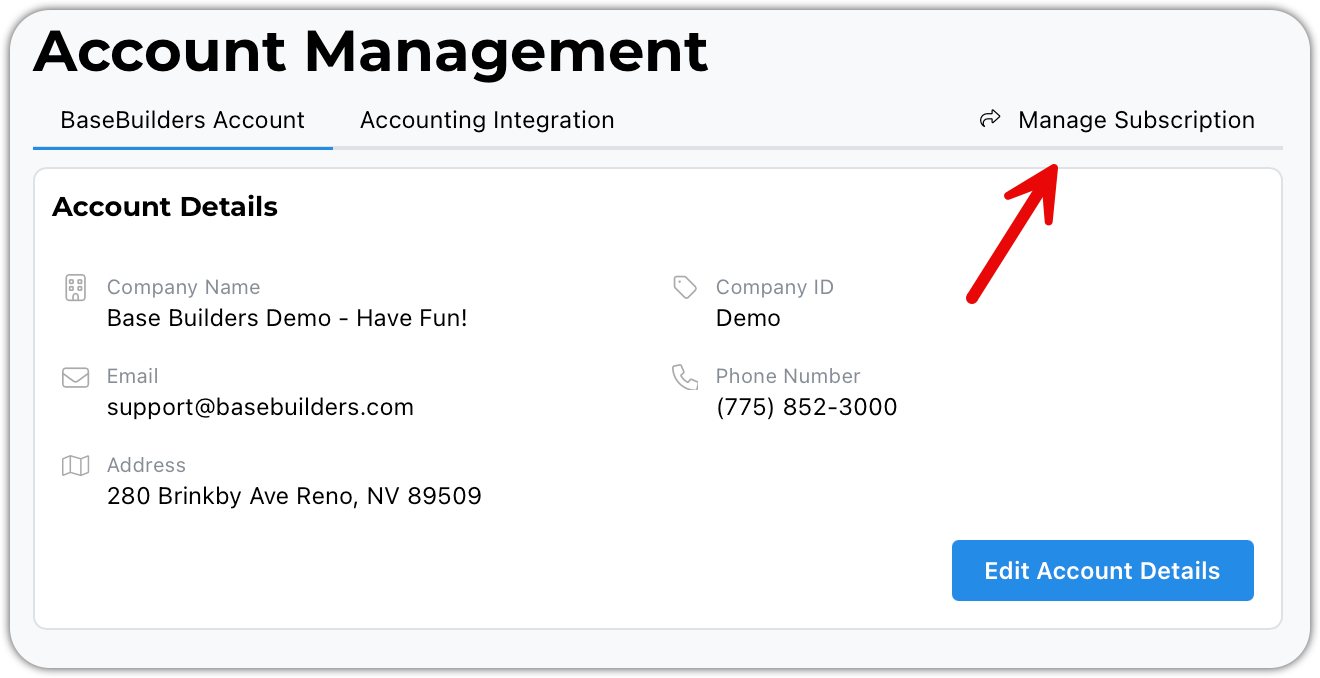
Here you can cancel your account, update your existing payment method, or add a new payment method.
Scroll down the page to see all of your invoices from BaseBuilders.
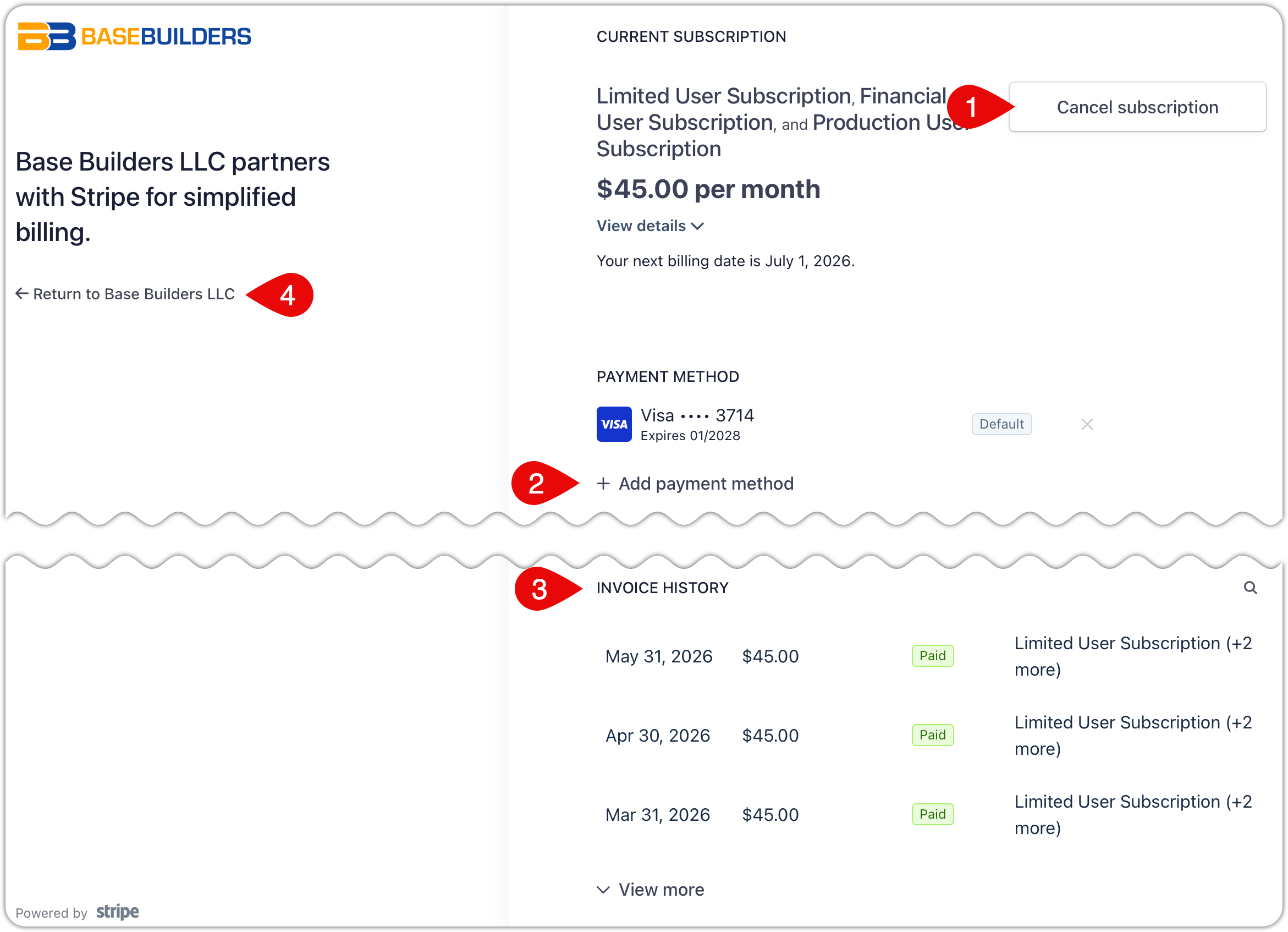
To cancel your account, click this button and confirm your choice.
To update your existing payment information or add an additional one, click here.
Update Credit Card
Update Expiration Date
Update Bank Account or Banking Information
Add new Credit Card or Bank Account
If you scroll down, you can see your billing history.
Click here to return to our application.
To change your user counts, you will need to go under User Management. This is where you can add new users, deactivate existing users, change existing user access levels, or reactivate a past user.