

Open Settings by clicking your name or avatar at the bottom of the main navigation panel.
Once Billing Rates are imported into a project, they can be modified, giving each project its own unique set of rates. You can also add custom billing rates to any project. If you use the master billing rates in your projects, you can batch-update projects when your master rates change.
Video
List of Rates
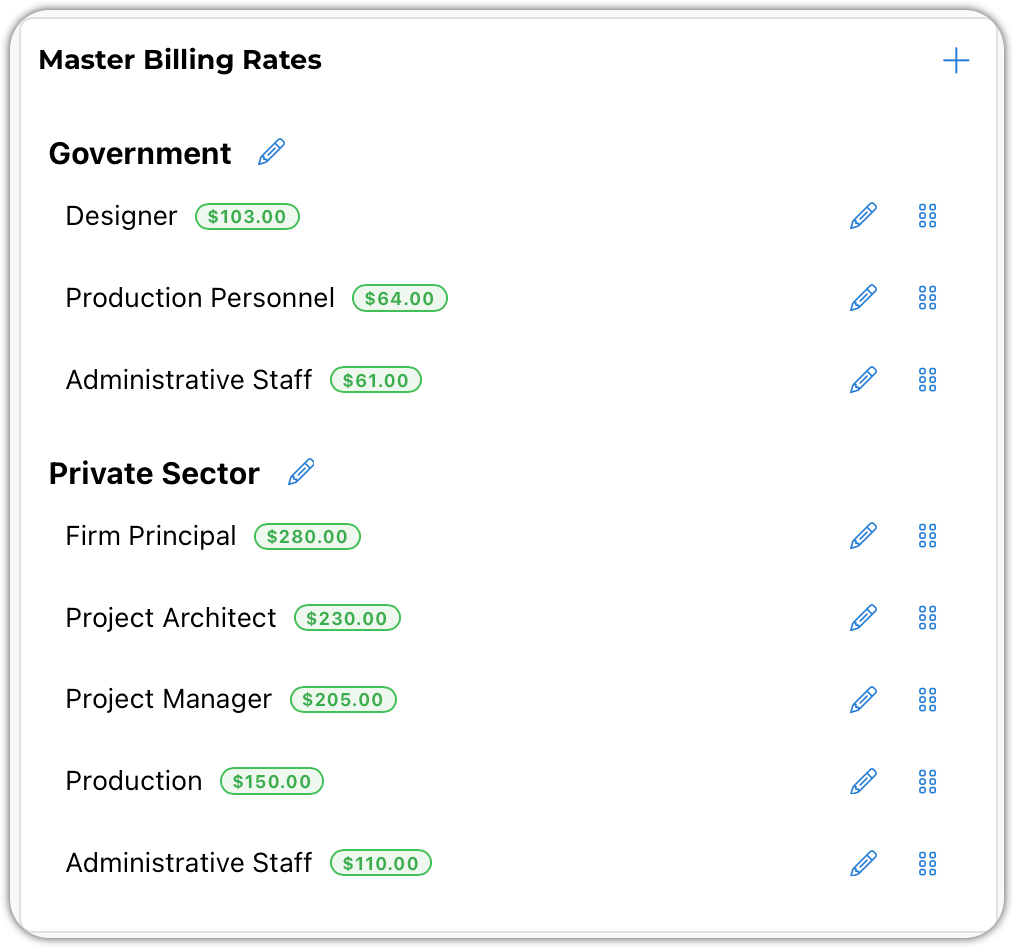
Your rates can be set up under groups. Above, we have two groups: the Government and the Private Sector.
When importing master rates into a project, you can import an entire group at a time.
Attention: Any rate can be modified once it has been added to a project.
Use the edit pencil to modify a rate. Use the drag and drop handles to move rates around. You can even move rates between groups.
Edit Window
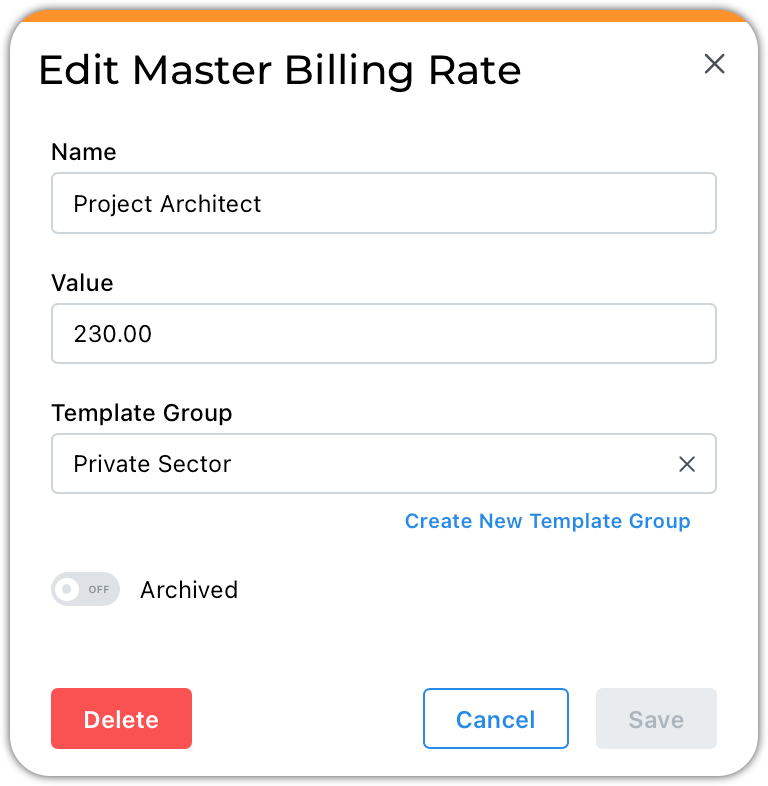
Enter the name and dollar value of the billing rate.
Select an existing Template Group or use the blue Create New option to add a new group.
Retired rates can be archived.
NOTE: You do not need to create new rates when your rates change. Instead, simply edit your existing rates. Modifying these rates does not affect existing project rates.