Each company and contact can have an unlimited number of addresses and phone numbers.
Video
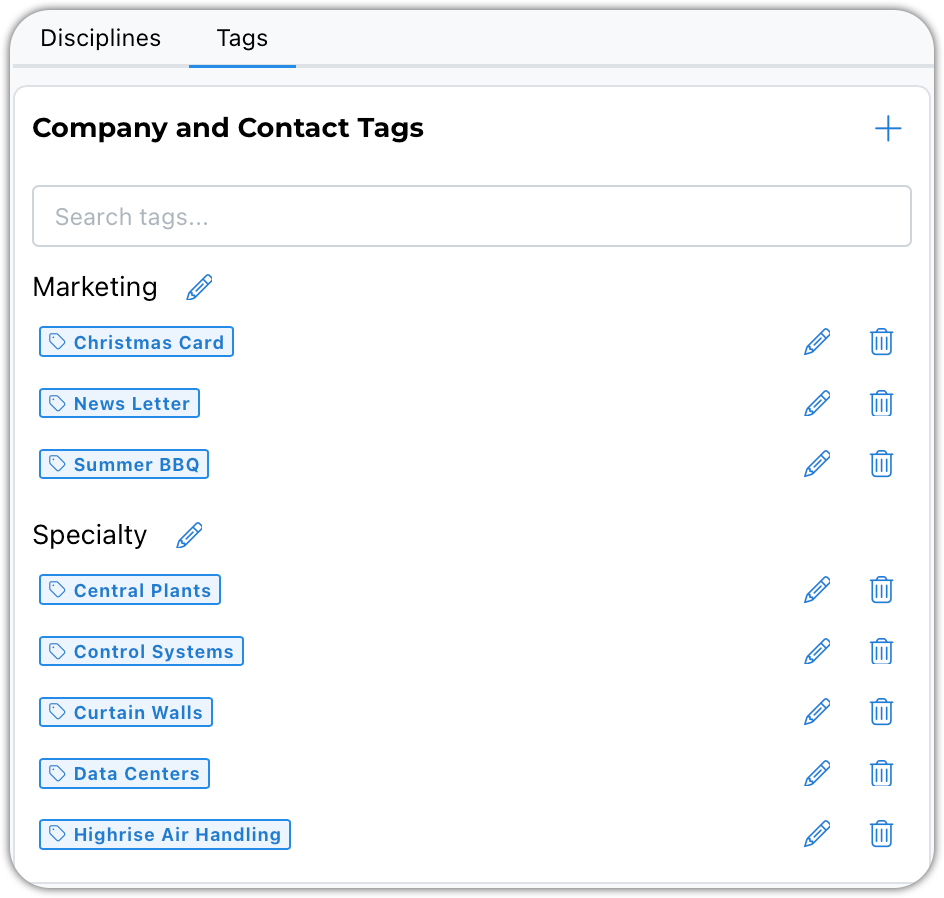
The video above will walk you through settings used for all of the architecture and engineering firms you will be adding to your companies table. The companies table will house your clients and the various agencies you interact with. You will also setup tags that you can apply to the companies and contacts you enter. These tags might include certifications such as AIA, LEED, or PE. Perhaps a civil engineering firm also does surveying or environmental engineering. The tags will help you find the companies with these various certifications or specialties.
Disciplines
Disciplines not only organize your address book companies, it enables project reporting. These companies are also your clients. If you don't use a generic discipline like 'Client', but instead classify your clients, you will be able to compare your project profitability by client type.
Tags
The primary purpose of tags is to enhance queries. You might have specialty flags like Central Plant or Ground Source Heat Pump, that are applied to the mechanical engineering firms you know have experience with these systems.
Tags are also great for marketing purposes. Tag companies so you know who should be receiving a holiday greeting card or who gets invited to your annual summer barbecue.