

Each profit center will have settings unique to the records linked to it.
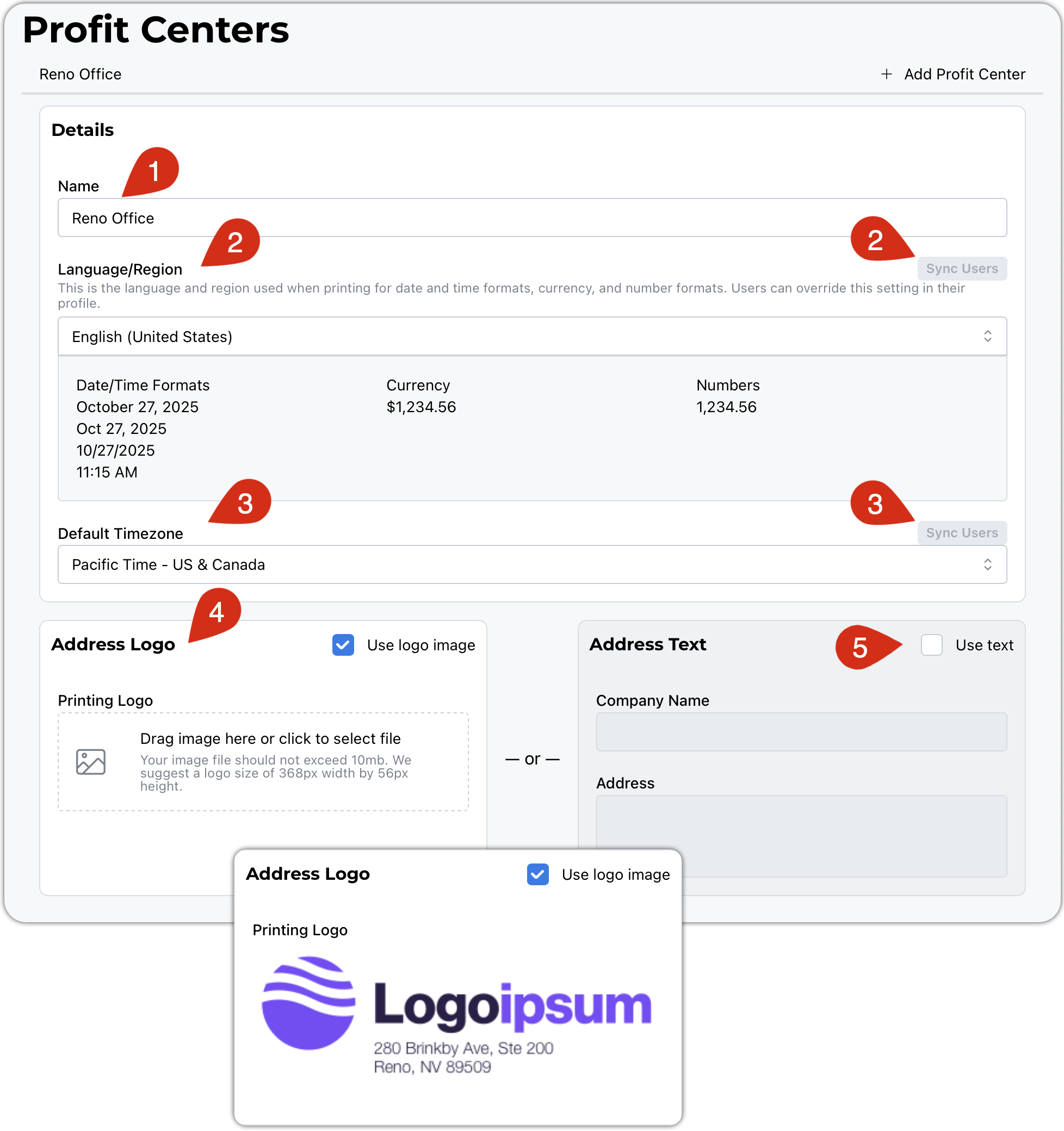
Give your profit center a name.
The chosen language will determine how your dates, currency, and numbers are formatted. Users can set their own defaults in the event that they are in a different country. You can use the sync button to set all users to your default.
Selecting the time zone affects how records are tagged with timestamps. This system keeps a change log that uses these time slips as well. Users can set their own defaults if they are in a different time zone. You can use the sync button to set all users to your default.
This Address Logo is used like your letterhead for invoices, docs, proposals, etc. We will do our best to scale it appropriately. Use your favorite graphics/drawing software to tweak things to your liking. We recommend a transparent background. Logos and Avatars
You are welcome to forgo the logo and have a simple text block for your printouts.