

What is the difference between them?
Expenses are items purchased on behalf of the project. Typically, they are paid upon acquisition. These include travel costs (airfare & hotels), parking fees, and mileage reimbursement for employees.
Services do not have a direct job cost. The cost of services is absorbed in your overhead. This is for items such as in-house plots and prints. If you charge a fee per site visit, that would also be a service. We have clients who charge a flat fee to attend city council or school board meetings.
Video
Service Items
Service items are typically used for billable activities that are absorbed by overhead rather than tracked as direct costs.
Examples include:
In-house printing (plots, copies)
Flat “show-up” or site visit fees
Meeting attendance fees (school board, city council, etc.)
Although these activities involve real costs (paper, ink, equipment, staff time), those costs are already captured through overhead or labor. The service item itself does not add an additional direct cost to the project.
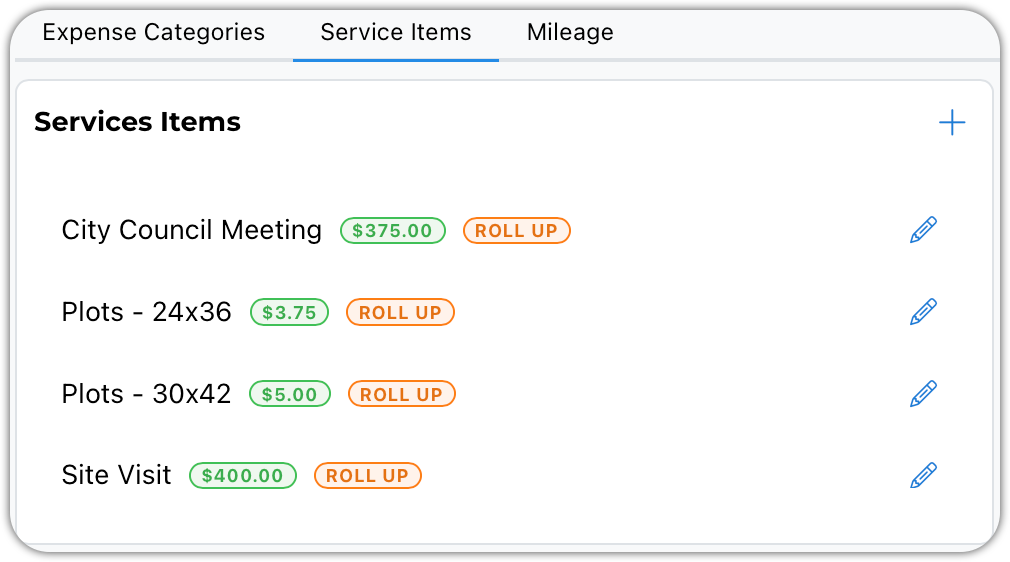
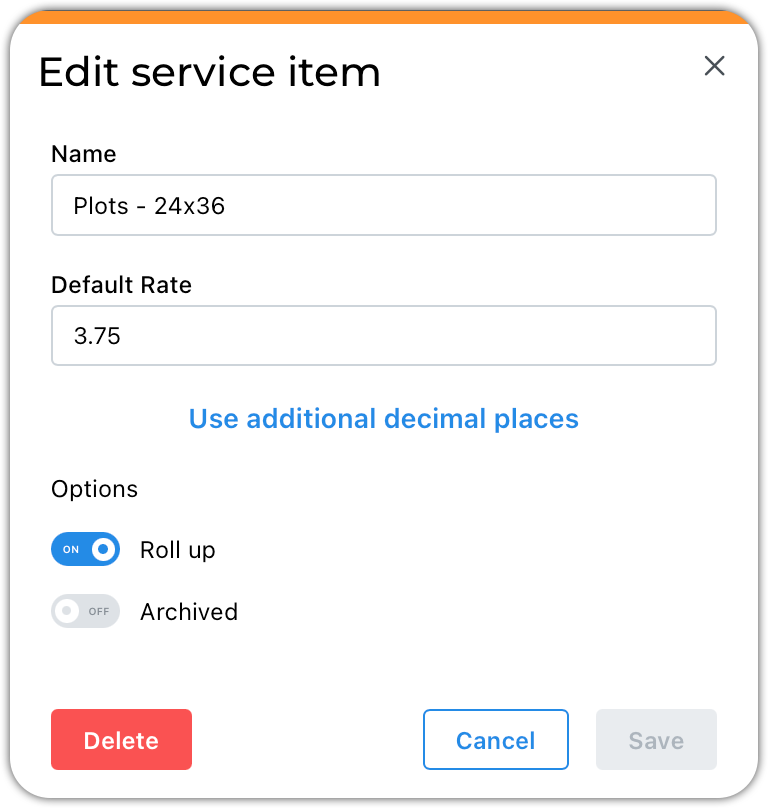
The Name is your internal category. When an item is added to a project you will be presented with a description field where you might choose to explain details about the item.
The rate is modifiable on the service charge.
Roll up works when invoicing. This determines if each bill service item gets a separate line on the invoice, or if they are combined, rolled up, into a single invoice line item.
Expenses
You will want to have a miscellaneous item to record your one-off expenses. The others will be used to categorize your expenses by type. The name is also prefilled in the expense description.
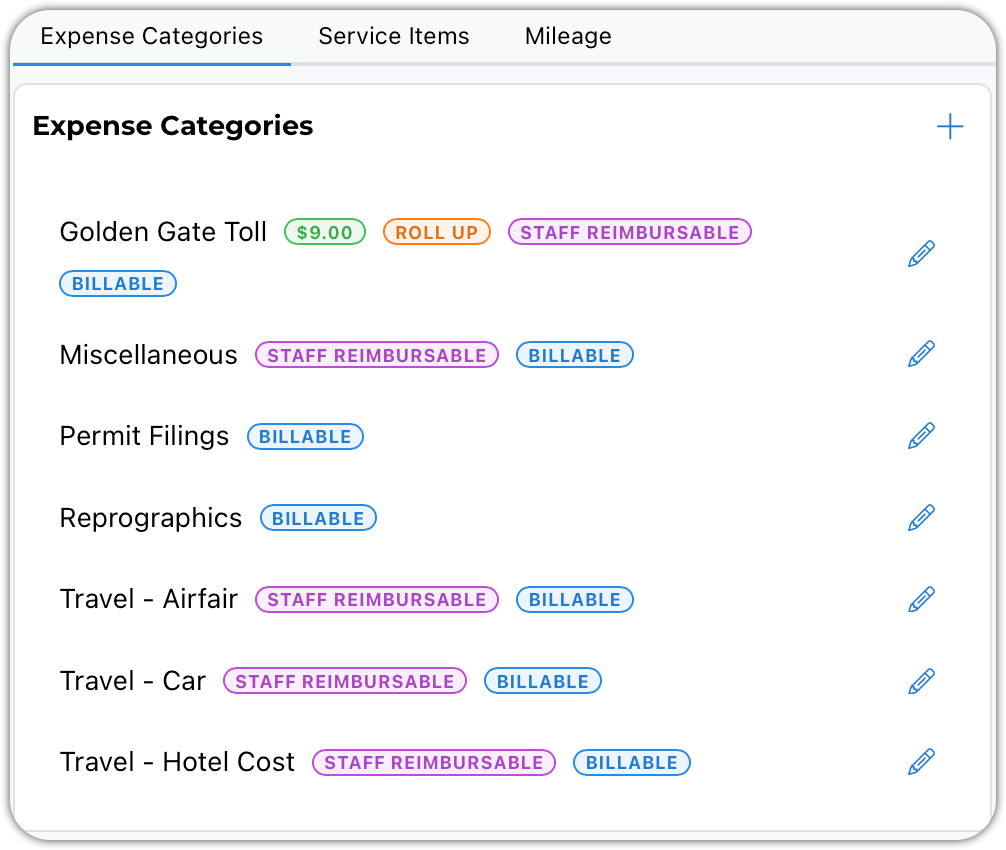
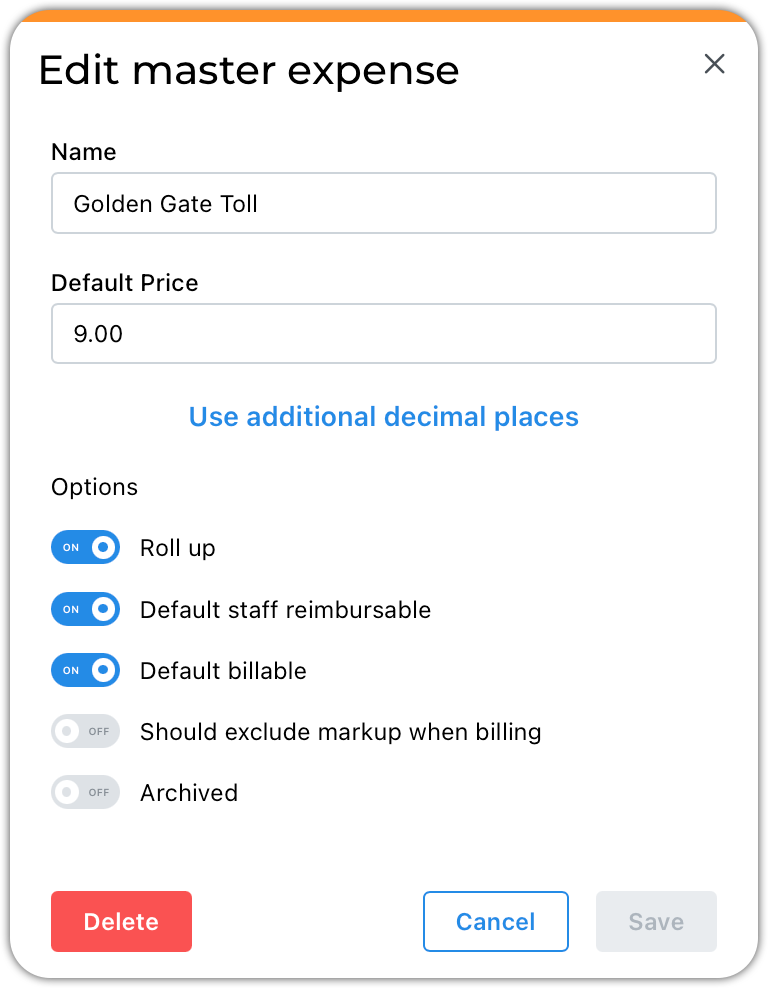
The Name is your internal category. When an item is added to a project, you will be presented with a description field where you might choose to explain details about the item.
Expenses will rarely have a default price. But there are cases such as the bridge toll shown above.
Roll up works when invoicing. This determines if each bill service item gets a separate line on the invoice, or if they are combined, rolled up, into a single invoice line item.
If the expense is typically paid for by your staff who are then reimbursed, you should turn on this default.
Project expenses may or may not be billed to your clients. You decide how you would like new expenses to be flagged
It is common for expenses to be billed with a markup. The markup is determined by your contract settings.
Mileage
Mileage is a special expense because it is used by users when entering travel on their timesheet.
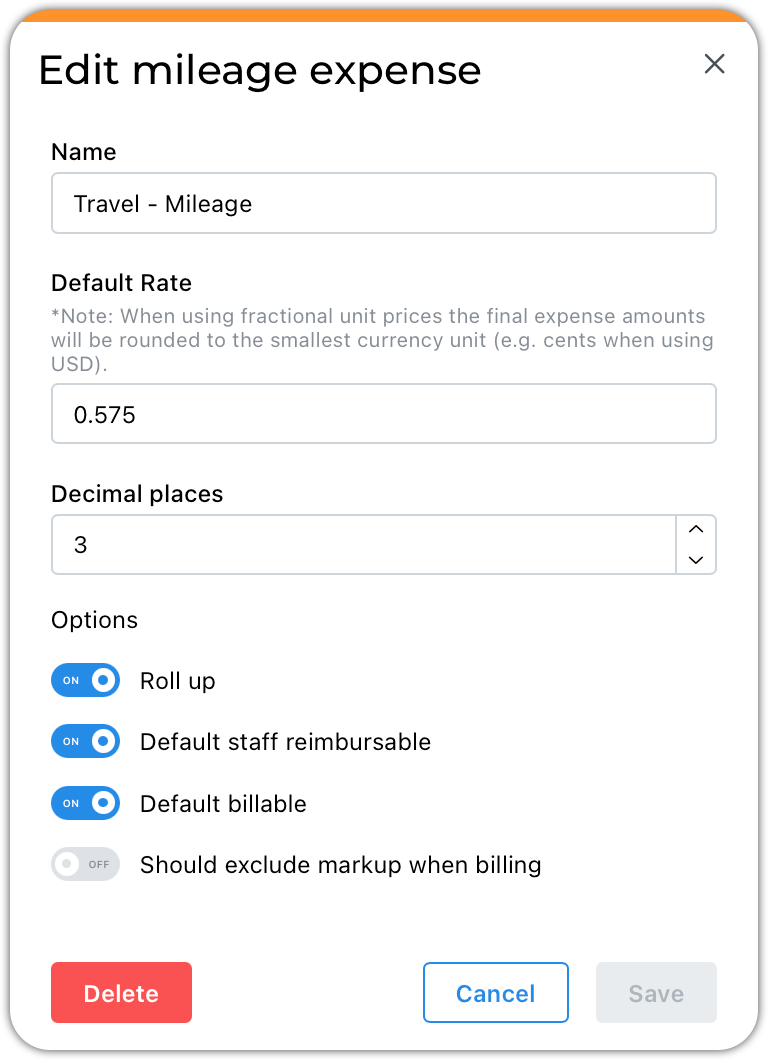
This is the only item we have ever experienced that uses an additional decimal place.
Summary
Master expenses and services help standardize billing, reduce data entry time, and improve consistency across projects and invoices.
If you have questions or need clarification, submit a request — we’re happy to help.