

From logos and titles, to columns, summaries, and watermarks, you have a lot of control.
Logo Configuration
Your invoice logo is pulled directly from the Profit Center.
Navigate to Profit Center
Upload or update your logo
Once added, this logo will automatically appear on invoices, statements, logs, and other printed documents. You only need to configure it once.
Editable Titles and Labels
All invoice titles, section headers and column labels can be customized.
The light gray text shown in settings is sample text
Click on any item to change the text
Examples:
“Invoice” → “Factura”
“Number” → “Invoice Number”
“Client Reference” → “Purchase Order”
"Due This Invoice"→ “Balance Due”
Watermarks
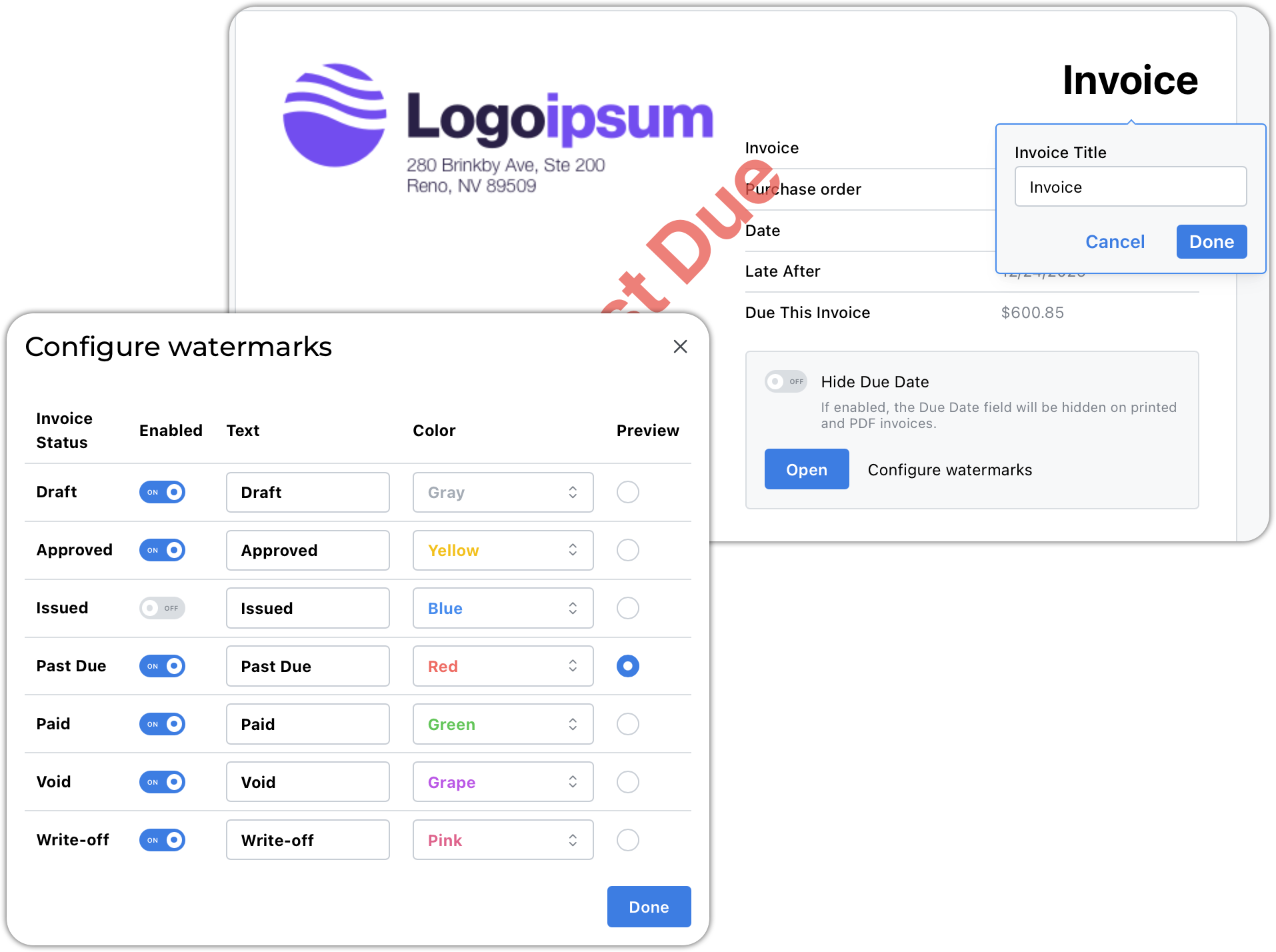
You can enable and customize invoice watermarks based on invoice status.
For each watermark, you can:
Enable or disable
Edit the text
Select colors
Preview the appearance
Default Invoice Comments
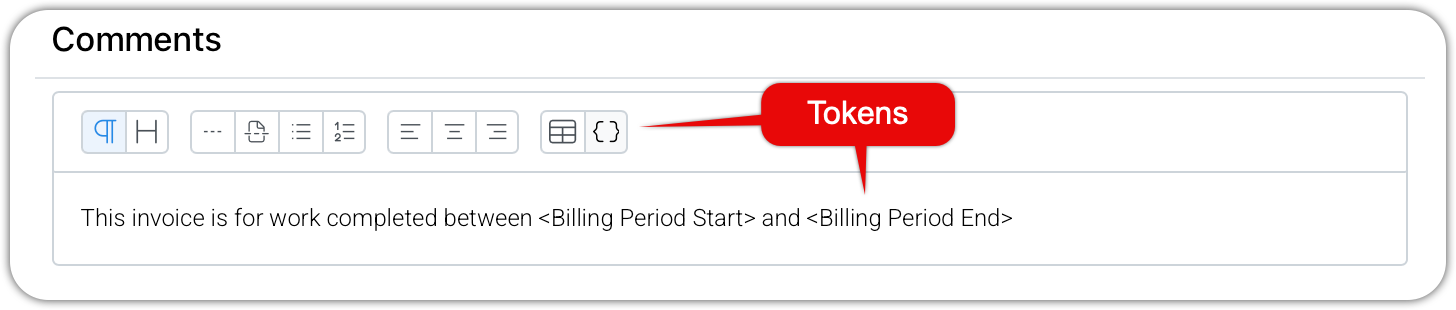
You can define comments that automatically appear on new invoices.
Common uses:
Billing period notes
“Billings through the end of…”Closing dates
Standard client messages
Inserting tokens will customize the comment for each invoice
This text is copied into each new invoice. It remains fully editable on each invoice.
Line Item Display Options
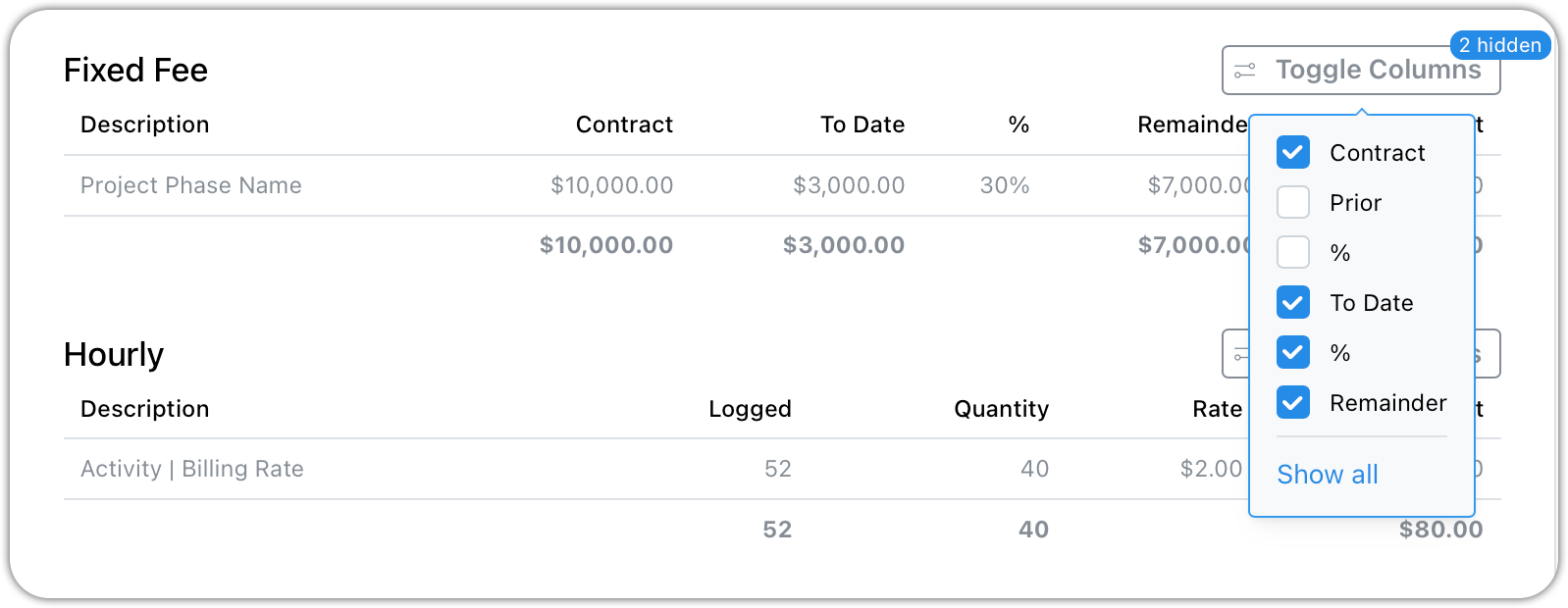
Things you can do to customize your line items
Rename section titles - perhaps you prefer Lump Sum over Fixed Fee
Relabel column headers
Hide columns you prefer not to show
Retainer Summary
Enable this option if you want retainers balances reflected on printed invoices.
Total vs. Balance Due
With this selected, when an invoice has no applied payments, the "Balance" field is used instead of the "Total" field.
Terms and Conditions
Add standard text such as:
Remittance instructions
Payment terms
Late payment policies
Interest notices
Thank you for your business
This section uses a rich text editor for full formatting control.
Three Addable Sections
As you scroll down the settings page, you will find three additional sections you can append to your invoices.
Summary of Contract - a list of phases and contract amounts
Project Billing Statement - a statement of all open invoices if there is more than one
Time Slips - an itemized list of the time slips linked to invoice line items