

Video
Overview
The Todo Settings area allows you to:
Control how “days until due” is calculated
Create reusable Master Todos
Define Todo tags for searching and organization
These settings help standardize task management across projects and proposals.
General Tab
The General tab controls how due dates are calculated.
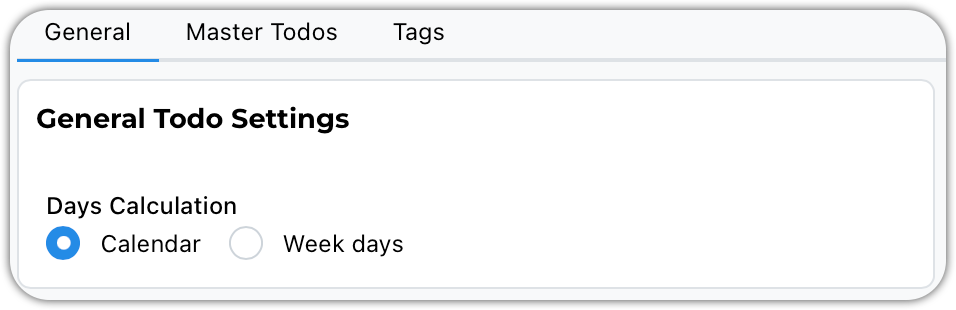
Calendar vs Weekdays
Choose whether the system:
Includes weekends (Calendar Days), or
Excludes weekends (Weekdays Only)
Example
If a Todo is due Tuesday and today is Friday:
Weekdays Only → Shows 2 days remaining
Calendar Days → Shows 4 days remaining
Select the method that best matches your workflow.
Master Todos
Master Todos are reusable task templates.
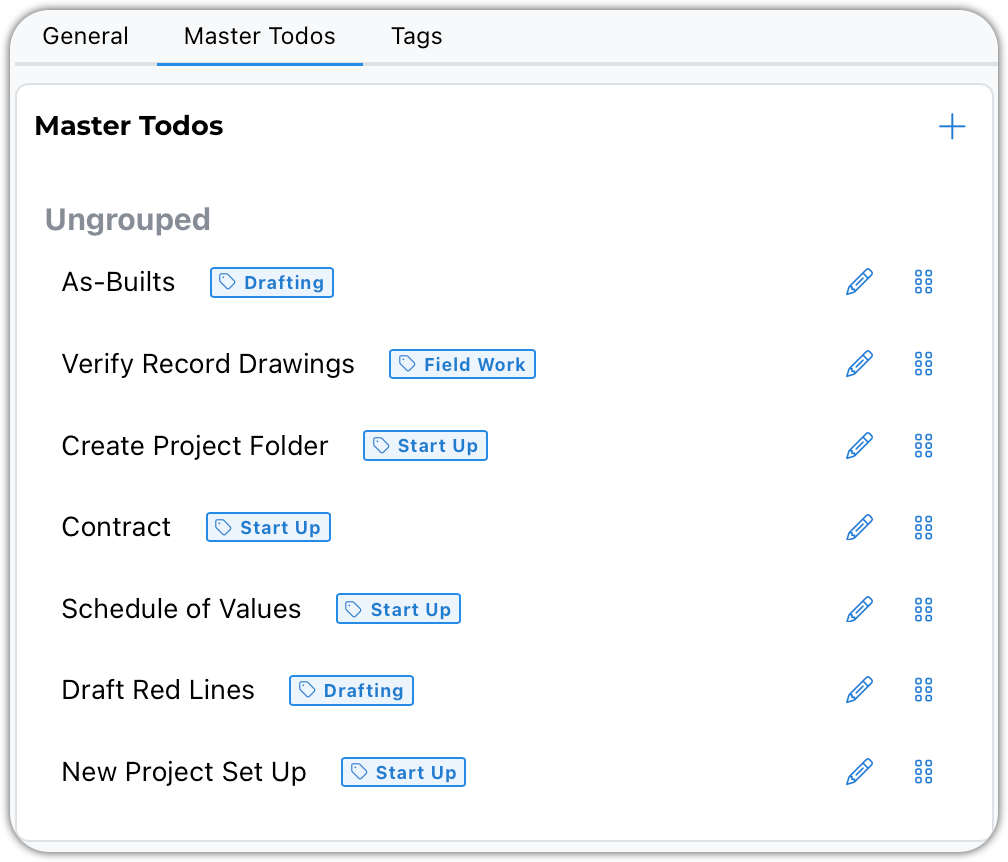
They are ideal for:
Checklists
Standard procedures
Repeated design tasks
Agency review requirements
Internal QA/QC steps
Common Use Cases
Recurring Workflows
Design checklists
Submittal reviews
Closeout procedures
Discipline-Specific Tasks
Backup generator design checklist
Permit submission steps
Agency / Department Standards
Plan check corrections
Compliance reminders
Grouping Master Todos
Master To-Dos can be grouped into template categories.
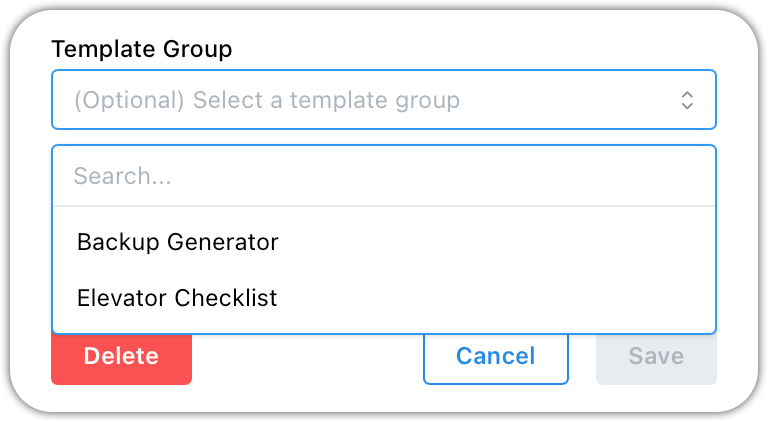
Anatomy of a Master Todo
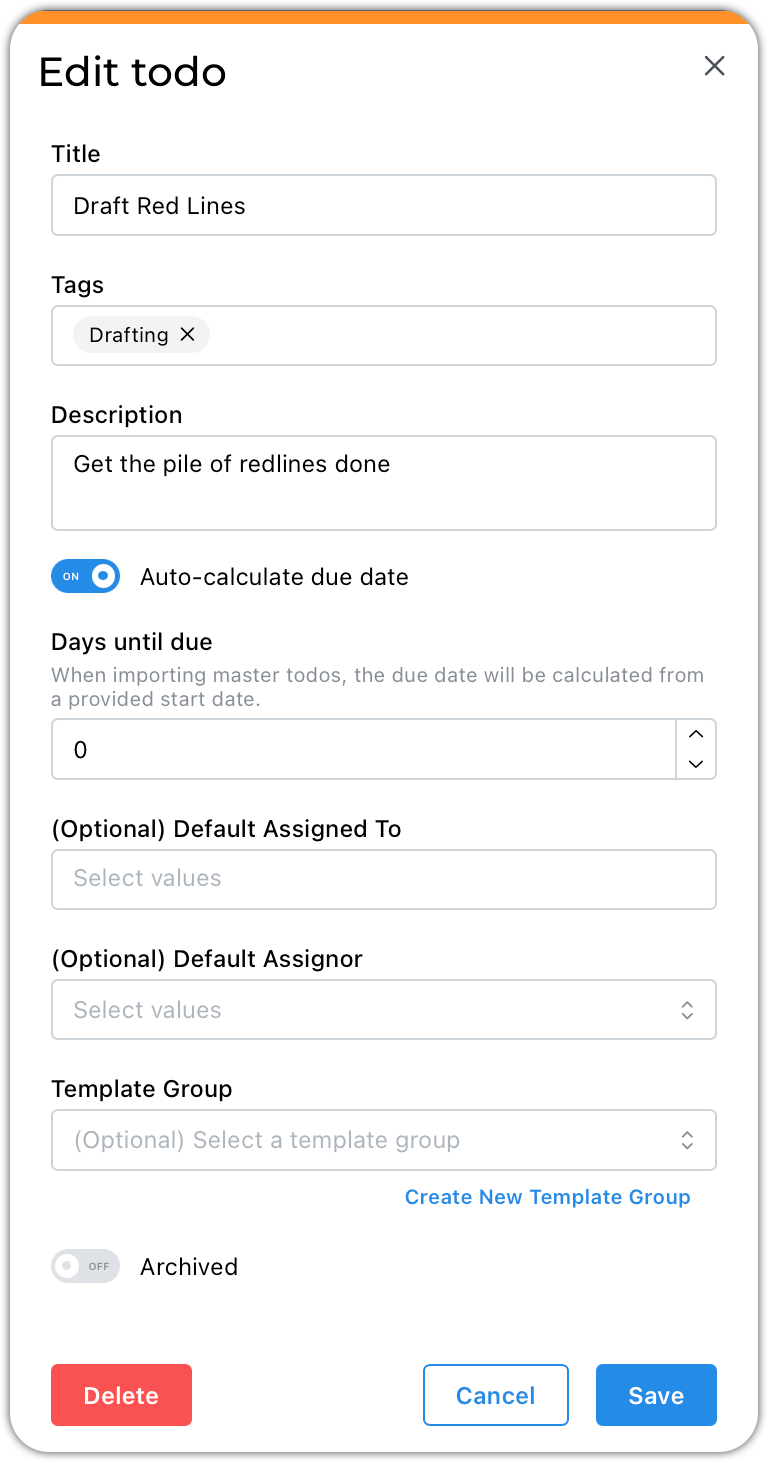
Titles should define the task at hand
Tags will make searching for todos more useful
The description should explain the work to be done
The auto-calculate due date is a snazzy feature. It will automatically set a due date x number of days from today.
There may be a go-to person to whom this task is always assigned. Feel free to add them.
Best Practices
Build Master Todos gradually
Add templates as workflows naturally repeat
Avoid trying to design every checklist on day one
Group related tasks for easier project imports
Use Days Until Due for deadline-driven processes
What’s Next
Master Todos can be imported into:
Projects
Proposals