

You are welcome to add custom phases to a project at any time. But importing from your master phase will save you time.
Video
List of Phases
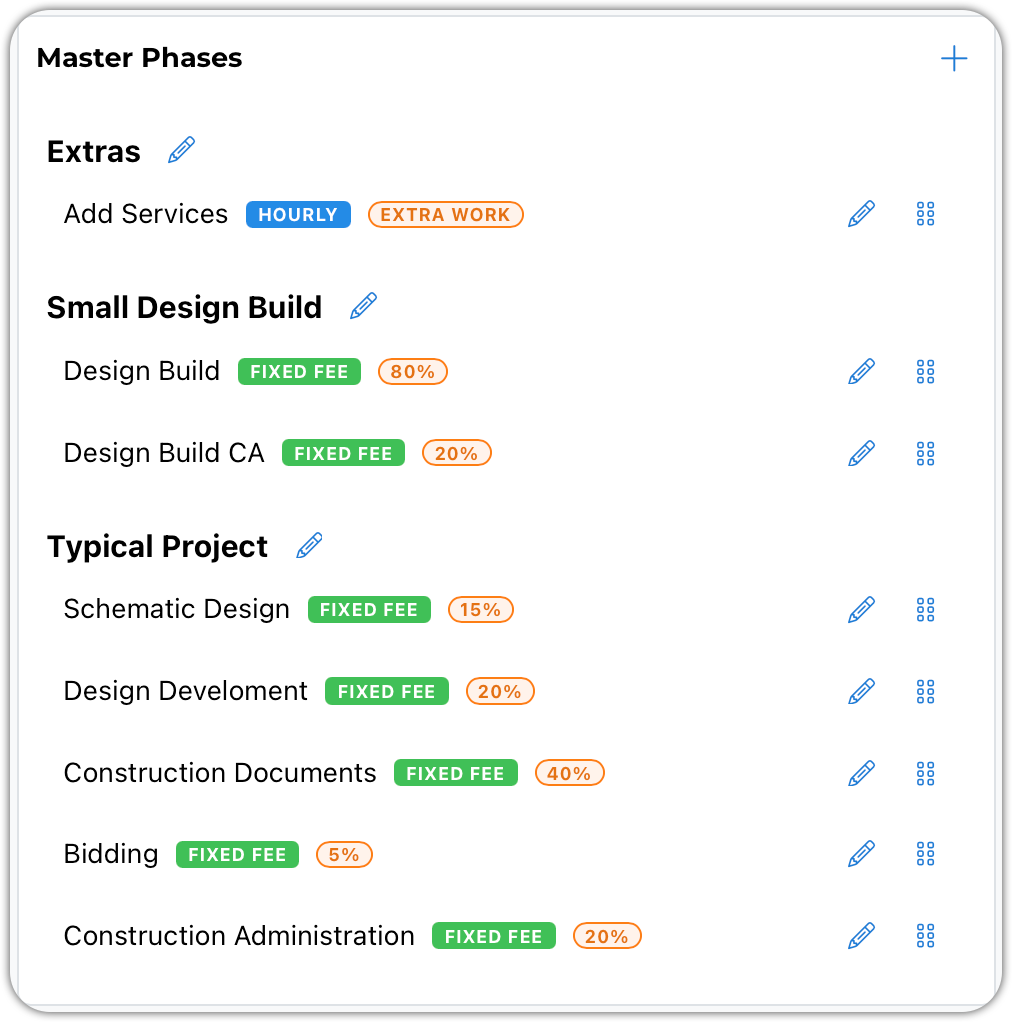
Your phases can be set up under groups. Above, we have three groups: Extras, Small Design Build, and Typical Project.
When importing master phases into projects, these groups help you quickly locate the phase you need.
Attention: Any phase can be modified once it has been added to a project.
Use the edit pencil to modify a phase. Use the drag-and-drop handles to move rates around. You can even move rates between groups.
Edit Window
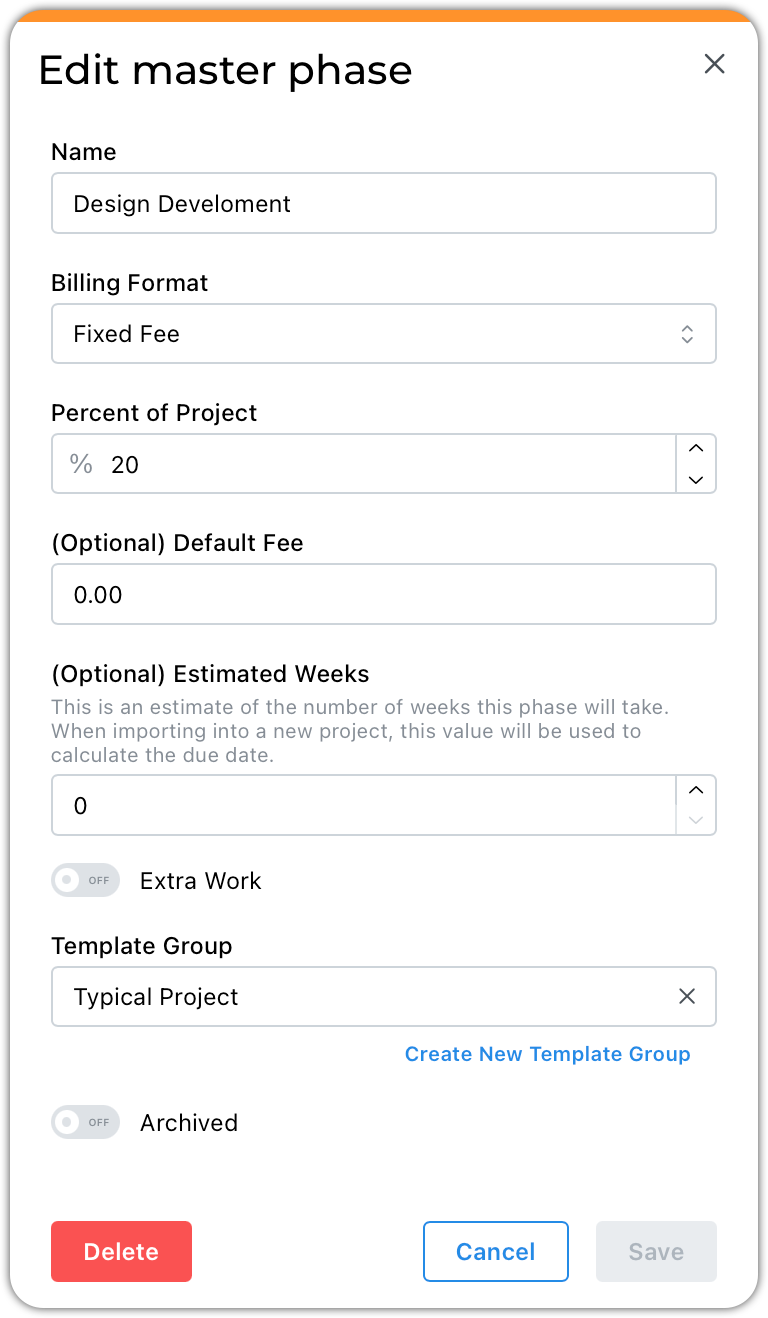
Be sure to take a look at this article, Understanding Billing Formats
The percent of the project represents how much of the fee you typically allocate to this phase.
If you have a phase or task with a typical fee, enter it here.
The Extra Work flag is used to track changes to your original contract.
Select an existing Template Group or use the blue Create New option to add a new group.
Retired phases can be archived.