

Overview
Quick Reports summarize exactly what you’re currently viewing on screen. They use:
The records returned by your query
The columns included in your column set
Once configured, Quick Reports can be printed or downloaded instantly—no report setup required.
Before You Run a Quick Report
There are two things you must understand before running a Quick Report:
Queries (Which Records Are Included)
A query controls which records appear in the list.
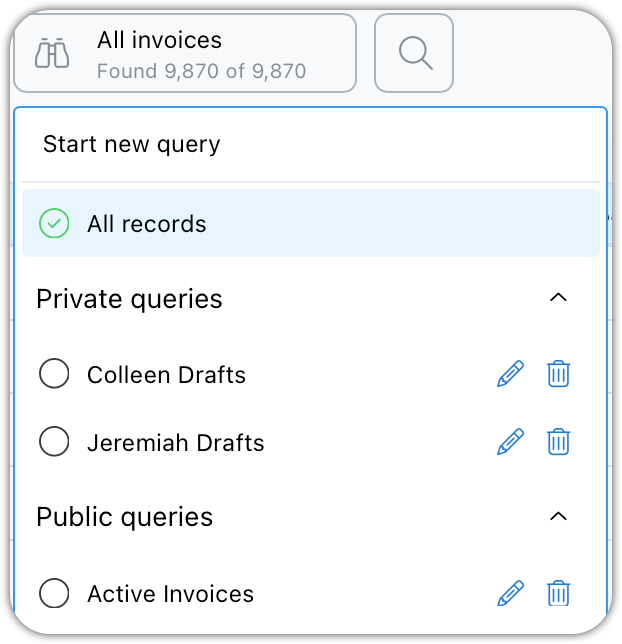
You may use an existing saved query
You can customize or build a new query as needed
Only the records returned by the query will appear in the report
Column Sets (Which Data Is Included)
A column set controls which columns appear in the report. Click the column set button to see your saved sets.
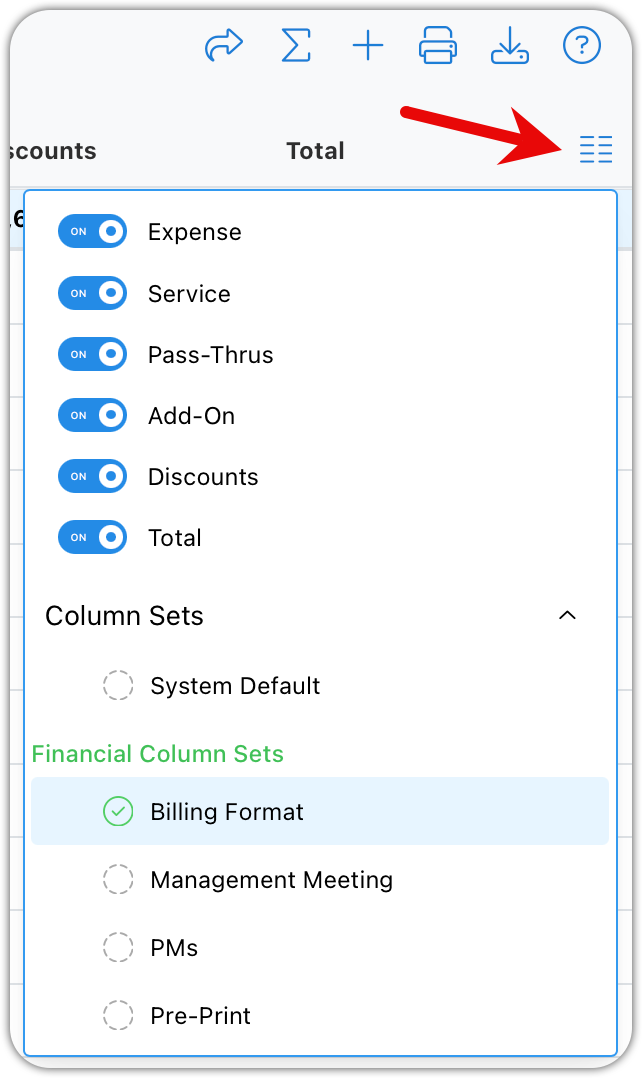
Quick Reports only include the columns currently visible
Switching column sets changes the data included in the report
If the data isn’t visible on screen, it won’t be in the report
Step-by-Step: Running a Quick Report
Navigate to a list view (for example, Time Reports)
Apply the query that returns the records you want
Select the column set that shows the data you want included
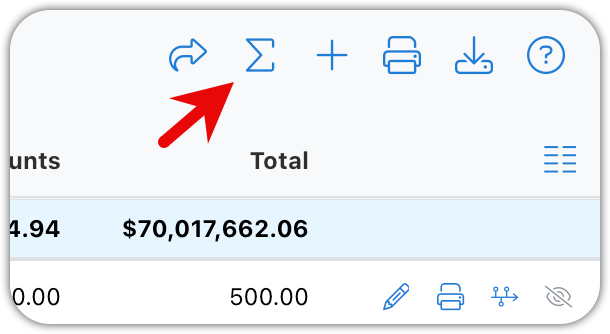
Click the Reports button
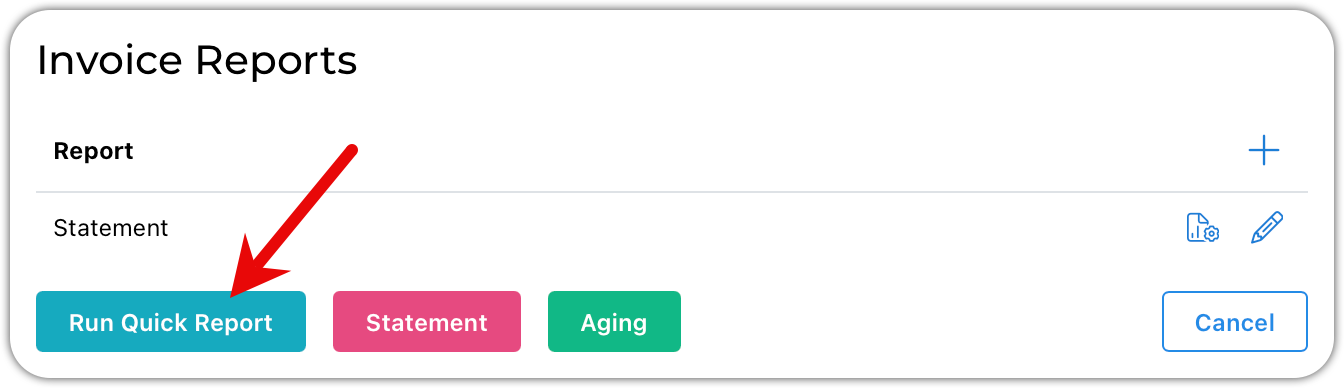
Select Quick Report
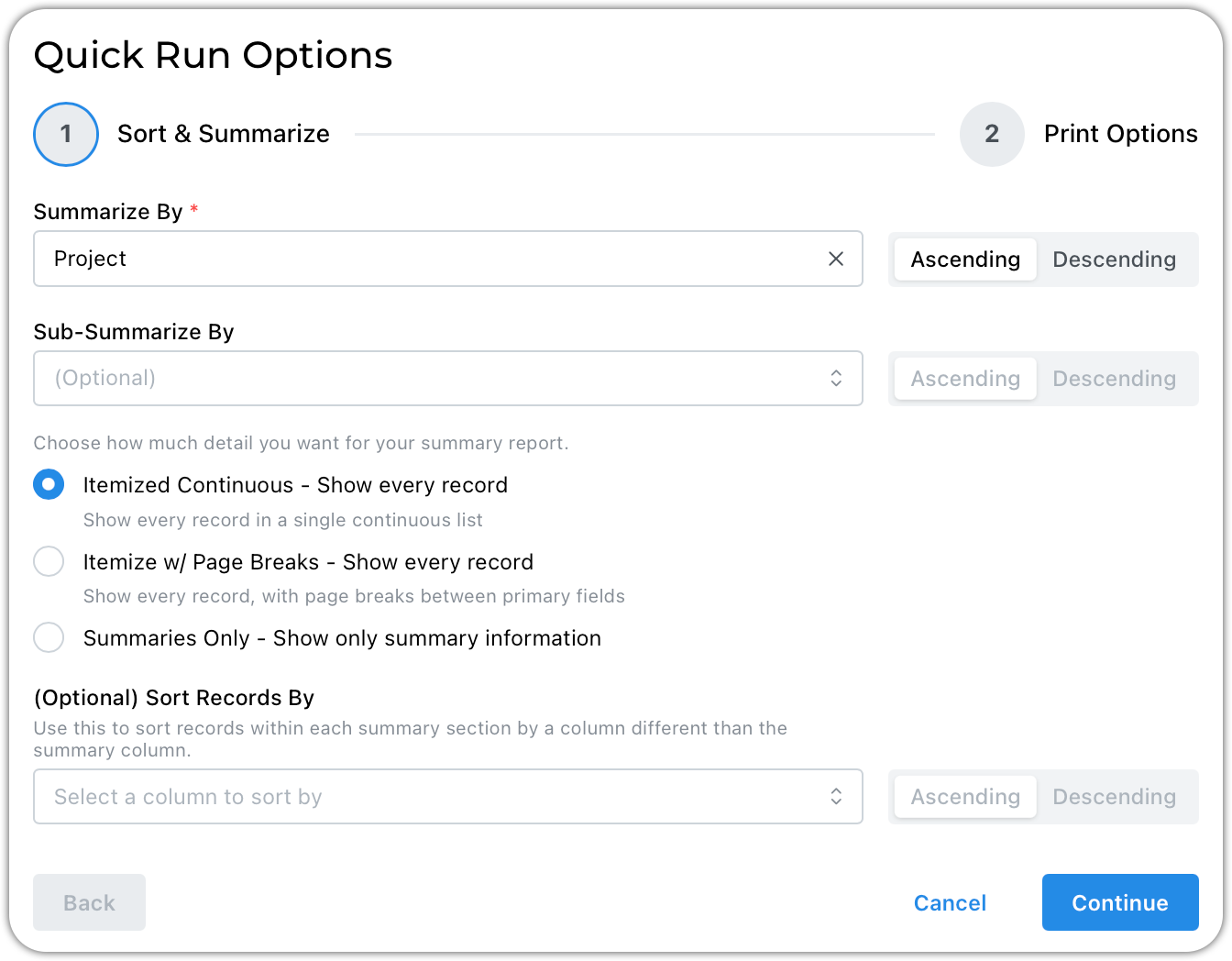
Configure your summaries from the options presented
You can have up to three nested summaries
Primary, secondary, and tertiary
Click Continue to set up your print options and run the report
Tips & Best Practices
Always confirm your query first
Double-check your column set before running the report
Quick Reports summarize what you see, not everything in the system
Use summaries to turn large data sets into readable reports